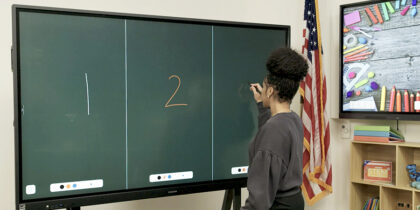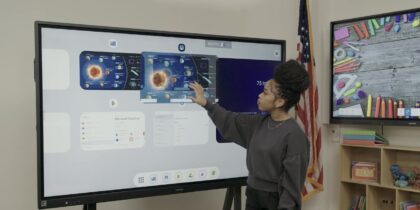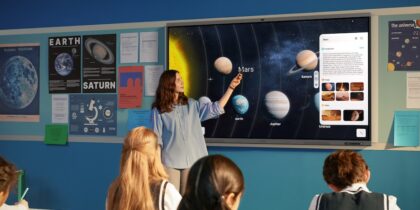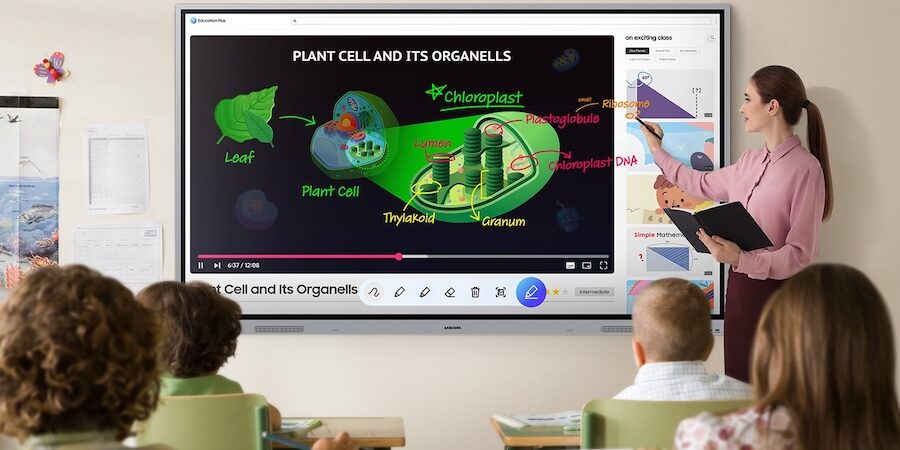
Interactive displays now serve as the centerpiece of the modern classroom. What began as a simple digital replacement for the traditional whiteboard has evolved into key infrastructure that supports group work and live interaction throughout the school day.
That’s why the U.S. interactive whiteboard market is projected to reach $2.61 billion by 2033, with a compound annual growth rate of 5.71%. It’s underscoring the growing role these technologies are playing in education.
The latest interactive displays are also moving well beyond basic annotation and screen sharing, incorporating AI- driven tools that expand their capabilities and classroom applications in practical ways. As the power of interactive displays grow, districts need a clear plan for standardizing the technology across learning environments.
The importance of standardization
As the educational hub of the modern classroom, interactive displays like Samsung’s latest WAFX-P and WEFX OS- Free bring lesson content and student devices together on one screen, supporting both in-person and hybrid instruction.
With that central role comes higher expectations and demands. Teachers need to move between digital curriculum platforms and collaborative activities without losing momentum. At the same time, IT teams must ensure the technology fits district requirements and can be deployed and managed reliably across buildings and campuses.
Standardizing interactive display technology supports that goal. When displays operate predictably from room to room, teachers spend less time adjusting to different setups and more time teaching. Students benefit as well, experiencing fewer interruptions and a steadier learning environment.
Tools for standardizing interactive displays in schools
Schools may achieve that stability in different ways, depending on how they configure and integrate classroom technology. Together, these capabilities help create a classroom environment where technology aligns instruction to keep everyone on track.
Simplifying classroom workflows with an integrated OS
One way to support reliable deployment across classrooms is through interactive displays that function as self- contained teaching systems. For example, Samsung WAFX-P runs on the Android 15 operating system (OS) with a high-performance Octa-core processor, giving educators fast access to apps and multitasking tools directly from the screen. When all interactive displays in a school run on the same OS, it establishes a single system that makes workflows easy for everyone.
Integrated Android and Google support
Building on the foundation of the original WAF Series, WAFX-P expands AI capabilities and deepens integration with Google services. As an EDLA-certified device, it integrates Google apps and supports Google Play. Districts that rely on Google Classroom and similar platforms can bring them directly into the display, keeping everyone on the same page, while also reducing the need for a patchwork of external devices.
AI-assisted instruction
WAFX-P features Circle Text and Search, which recognizes handwritten notes and links them to relevant web results and instructional resources. By circling text on the screen and tapping search, educators can bring supporting materials into a lesson immediately. The feature also creates common points of reference and methods for classroom learning.
Built-in hybrid learning tools
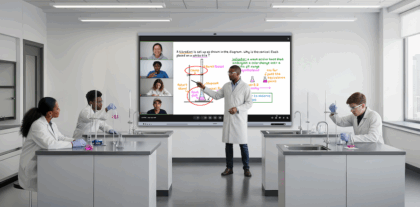
For hybrid and distance-learning environments, the integrated video system in WAFX-P features a 48MP auto- framing camera, far-field microphones and built-in speakers. That means remote sessions can launch with all the same hardware, making it easier to support students learning across locations.
Centralized management controls
Device management tools in WAFX-P enable remote configuration and campus-wide messaging, allowing IT teams to maintain alignment across classrooms while reducing technical friction for teachers.
Enabling flexible deployment with an OS-free design
Not every district approaches classroom technology the same way. Some prioritize built-in intelligence within the display, while others manage software and devices through existing systems.
The Samsung Interactive Display WEFX is designed without a built-in operating system, allowing districts to integrate it into their current environment rather than adding another platform. That provides other advantages for standardizing the modern learning environment, including:
Design for centralized systems
For schools that rely on district-issued laptops, Chromebooks or centrally managed devices, WEFX offers great control over how content and applications are delivered. IT teams can connect the display to preferred devices and manage software through existing tools while maintaining reliable performance across classrooms.
High-resolution collaborative display
WEFX supports UHD resolution and up to 40 touchpoints of interaction, enabling multiple students to collaborate on the screen simultaneously. Clear visuals and responsive touch features support group work, shared problem-solving and interactive lessons.
Flexible integration with AI-enabled platforms
Rather than embedding intelligence within the display itself, WEFX enables schools to extend AI-driven tools and digital resources through the systems they already manage. This gives districts flexibility in how new platforms and updates are introduced in the classroom.
Overall, WEFX fits easily into a district’s existing systems and enables classrooms to run with fewer technical disruptions.
Building a consistent foundation
Interactive displays are too valuable a tool to manage piecemeal. Standardizing interactive display technology helps schools avoid constant reconfiguration as software evolves.
Whether a district chooses an integrated operating system or an OS-free model, clear deployment standards simplify upgrades. Displays that meet district requirements reduce the need for repeat adjustments when new tools, including AI-driven ones, are introduced.
When interactive displays are included in long-term planning, schools can introduce new capabilities without disrupting student learning.
A new chapter of classroom instruction
Interactive displays are no longer defined only by screen size or touch capability. As AI tools and connected platforms become more common in education, the display plays a larger role in how classrooms operate. How schools choose to integrate and manage that technology will shape how smoothly they adapt in the years ahead.
For more information, explore how Samsung WAF Series can support educators. Also, discover creative ways to use an interactive display in the classroom.
*Samsung AI Assistant app features will be available with a future software update in 2026.