Enterprises everywhere are recognizing how mobile technology can empower employees and enhance customer experiences, but they face two big challenges to leverage its full potential.
Firstly, as mobile device use cases become more sophisticated for business, so too do the requirements for configuring, managing and supporting these devices. Secondly, more mobile devices and tablets leaving the office with sensitive data inside them creates significant security concerns.
Samsung Knox helps overcome these two challenges and make Samsung Galaxy mobile devices some of the most secure on the market. An extension of Android Enterprise architecture, the Knox platform delivers unique, granular security and management features that meet organizations’ fast-evolving mobility needs. From secure hardware to real-time protection and a comprehensive set of advanced solutions, Knox enables users to make the most of Samsung Galaxy devices without having to worry about security.
A layered defense
One of Knox’s great strengths is its multiple layers of defense. That creates three powerful barriers to block any bad actors seeking sensitive data by hook or by crook:
First layer: Mobile device security built into Android Enterprise
When it comes to cybersecurity solutions, the key word is trust. That trust begins with hardware. Knox is physically built into all Galaxy smartphones, tablets and wearables to protect device data. Developed on the principles
of Trusted Computing, and with a hardware root of trust to verify the device’s integrity at boot-up, Knox provides a secure foundation for enterprise mobile initiatives.
Knox starts with protective technologies at the chip level, known as TrustZone, that isolate highly sensitive computations from the rest of the device’s operations. Then, it uses real-time kernel protection to constantly inspect the core of the OS during runtime. Finally, Knox layers in Samsung’s security enhancements for Android, protecting apps and data by strictly defining what each process is allowed to do and what data it can access. These three sub- layers all work together as part of Knox Vault to deliver integrated and hardened security from the moment the device is powered on.
Through these measures, the Knox platform has met certification requirements from the National Information Assurance Partnership’s Common Criteria and the National Institute of Science and Technology’s Federal Information Processing Standard 140-2. It’s also received multiple Security Technical Implementation Guides from the U.S. Department of Defense for classified use. Knox security is, literally, defense-grade.
Second layer: Knox Platform for Enterprise
On top of this base of hardware, firmware and device security, Samsung has built the Knox Platform for Enterprise (KPE). This layer of Knox delivers application programming interfaces and other features that meet the
management and security requirements of enterprises — especially highly regulated enterprises in finance and healthcare, and agencies in government.
The KPE layer touches all aspects of Android management and security at the granular level: device configuration, security settings, application controls and Wi-Fi connections. All are licensed at no extra charge and available through mobile device management products and apps built using the Samsung Knox software development kit.
These first two layers of Knox are the key to compliance with the advanced security requirements of programs such as the National Security Agency’s Commercial Solutions for Classified program, the National Information Assurance Partnership and the U.K.’s End User Device guidance.
Advanced security requires, for example, that a phone support dual layers of encryption when data is at rest or in transit. Agencies and enterprises can satisfy this requirement with the KPE feature Samsung DualDAR, which double-encrypts data inside a Galaxy device’s work profile, using two independent cryptography modules. Knox DualDAR also allows third-party versions for inner-layer encryption. For dual-layered encryption of data in transit, Knox enables Secure Wi-Fi access even on public networks.
Another KPE feature that supports device management is Knox Separated Apps. Enterprises that have deployed Android Enterprise fully managed devices may want to separate work apps from unapproved ones. Knox Separated Apps lets IT admins keep out unapproved apps that aren’t fully vetted from a cybersecurity perspective. Knox Separated Apps isolates these apps and their data.
Another KPE feature, Samsung Auto Blocker, can stop the sideloading of apps from unknown sources, even if a user accidentally approves it. Permission Manager enables control over sensitive data like photos and key functions.
Third layer: The Samsung Knox solution set
Samsung knows that enterprises need their key technology partners to work together. The Knox solution set provides a secure foundation for enterprise mobility management (EMM) tools, both on premises and in the cloud. Samsung has collaborated closely with many of the leading EMM software providers, including Airwatch, BlackBerry and MobileIron, to ensure tight integration between the Knox platform and their device management tools.
Samsung has developed its own set of cloud-based software solutions to meet specific enterprise needs, all building on the technologies in Knox. This solution portfolio, which can be licensed and accessed through the Knox portal, is designed to assist mobility managers throughout a device’s life.
Here are the Knox solution portfolio’s key offerings for mobile security:
- Knox Configure: Providing businesses with advanced configuration and customization capabilities, Knox Configure can help meet unique business needs, including device setup, rebranding and feature restrictions. Furthermore, Samsung mobile devices and tablets can be configured remotely, including provisions for apps and content. Knox Configure skips lengthy setup wizards, too, so devices are ready to go in minutes, with all the same exact settings. If a user factory-resets the device, it automatically returns to a designated default configuration.
- Knox Mobile Enrollment: Providing free zero-touch deployment, Knox Mobile Enrollment (KME) automatically adds devices to an EMM solution once the IT team has pre-populated user credentials. As a result, end users can skip setup wizards and account registrations, so they get up and running faster. With KME, all devices stay enrolled in the EMM system. If an end user or outside threat performs a factory reset or uninstalls the EMM agent, KME can reinitiate the enrollment process automatically. The IT team can also enable Android factory reset protection so a device can be recovered even if the user’s credentials are lost. The most recent version of KME also makes it easy to clone a standard profile into an advanced profile, and bulk profile assignments can be done without user passwords.
- Knox Guard: When corporate smartphones are lost or stolen, Knox Guard provides an inexpensive option to protect and control access to these devices — and the data they hold. IT managers can even use Knox Guard to lock and wipe devices without an installed client or network connection. Knox Guard capabilities are built into all Samsung phones and tablets and operate using built-in BIOS and TrustZone security. This means a factory reset or OS reinstall won’t disable the Knox Guard protections.
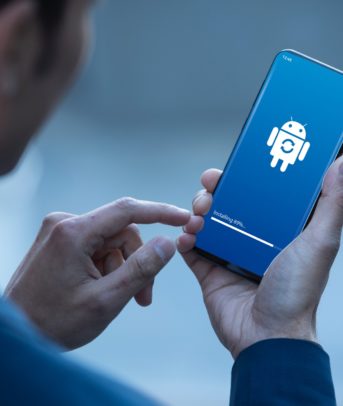
- Knox Enterprise Firmware Over-the-Air: Providing enterprises with control over their software updates, Knox Enterprise Firmware Over-the-Air (E-FOTA) gives businesses the power to validate, approve and deploy new versions of OS across device fleets without any end-user interaction. They can test and validate firmware updates in advance to uncover potential compatibility issues, and schedule deployments by device group and time of day, minimizing workflow disruptions. Knox E-FOTA is integrated with leading EMM solutions and can pull in existing device and group information to streamline firmware management.
- Knox Manage: Made for small and medium-sized businesses, the cloud-based Knox Manage can manage Android, iOS or Windows devices, though it provides the most comprehensive feature set for Galaxy devices with the integrated Knox platform. Knox Manage provides IT admins with hundreds of policies including all the essentials, like allowlisting and blocklisting. It also supports remote device control, event-based management, device location tracking and remote wipe.
- Knox Asset Intelligence: Building on other Knox solutions, Knox Asset Intelligence (KAI) is a cloud-based data analytics tool that provides in-depth insights into mobile device performance and usage across an entire fleet from the moment they’re deployed. With real-time reporting capabilities, KAI offers IT admins clear visibility into device-specific data, including connectivity and GPS-based location tracking, device health, battery usage and app stability. The IT team has access to all of this data in a single, user-friendly cloud console, allowing them to make better-informed decisions. They’re able to view the status of each device, monitor how they’re being used and detect any performance issues.
Grounded fundamentals, sophisticated features
Knox has come a long way since Samsung introduced the platform back in 2013, but the fundamentals remain the same: Knox secures Android mobile devices through hard-wired protections while also serving specific management and data security needs. In newer devices with Galaxy AI, Knox answers important questions and delivers effective solutions to keeping AI secure for business.
Learn more about how Samsung Knox Suite provides an end-to-end solution for complex mobile security needs.