OLED displays bring images to life using organic compounds that deliver precise color, deep contrast and true blacks. These qualities have earned OLED its sterling reputation across TVs, monitors and mobile devices. But “better” always depends on context. OLED is different, not universally superior. Non-OLED technologies like LED, QLED and microLED bring their own advantages, and individual viewers may prefer one over the rest for any number of reasons.
Choosing between OLED or non-OLED monitors depends more on a holistic fit than pure quality. That means weighing a variety of factors including environment, usage patterns, longevity and total cost of ownership. Matching these to the technology that best suits them helps ensure you get the best performance and return on investment.
Here’s what you need to know about choosing between OLED and non-OLED technology.
Putting the “O” in OLED
OLED technology may feel like a recent breakthrough, but it has been decades in the making. Kodak built the first OLED device in 1987, yet it took years of advances in materials, science and manufacturing before OLED displays could scale into televisions, monitors and other devices. That long development curve is what enables OLED’s defining traits today: pixel-level light control, high contrast and accurate color without the need for a backlight. These qualities keep OLED at the forefront of display innovations, particularly in use cases where image fidelity and visual precision matter most.
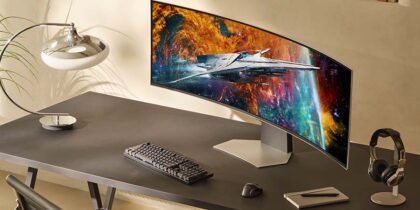
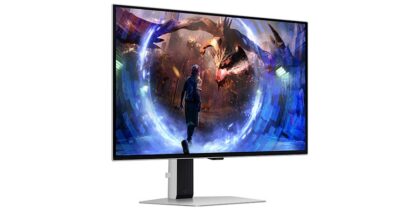
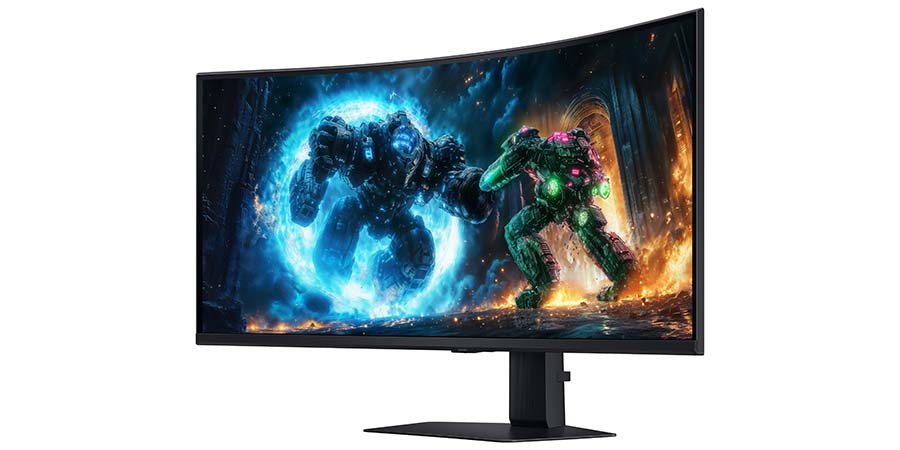
The not-so-secret ingredient is the organic compounds, consisting of various molecules or polymers. These enable each pixel to create its own light — or switch completely off when not in use — creating outstanding color accuracy and perfect blacks. That makes OLED monitors like Samsung 27 Inch Odyssey OLED G8 G81SF and Samsung 40 Inch Odyssey G7 G75F a favorite of graphic designers, content creators, photo and video editors and gamers, as they benefit from OLED’s remarkable precision of color and depth of contrast.
The Odyssey OLED G8 monitor, specifically, is pointing to the future of the technology. By adding the same quantum-dot filter as in QLEDs, Samsung has leveled it up to QD-OLED, which creates hyper-real visuals and the highest possible level of color accuracy.
The major non-OLED technologies
Most non-OLED monitors fall into the LCD and LED categories, relying on some form of filtration and a backlight. Each option comes with its own strengths and tradeoffs.
Liquid Crystal Display (LCD) – This technology launched the revolution in TVs that went mainstream in the early 2000s, replacing the cathode ray tube model. In LCDs, images are produced by light passing through a series of filters. This remains the basis for most current display technology.
Light Emitting Diode (LED) – LED monitors are LCD monitors that use LEDs as their backlight instead of fluorescent lamps. This shift enables better brightness control, improved efficiency and slimmer designs. Ongoing innovation has led to mini-LED and microLED approaches, which further refine contrast and brightness by shrinking the size of individual light sources.
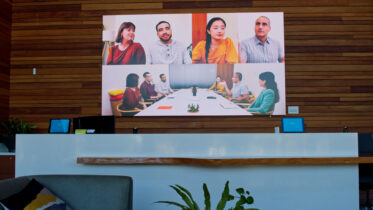
Quantum Dot Light-Emitting Diode (QLED) – Samsung reinvented the LED in the mid 2010s by inserting a quantum dot filter that creates more than a billion colors. It also ensures 100% color volume at any level of brightness. Samsung levels this up further with Neo QLED, which combines the quantum filter with microLED technology. QLEDs tend to be brighter than OLEDs, making them better for spaces with lots of natural light, such as meeting rooms, public areas and retail floors.
Key factors for choosing the right monitor technology
Tasks
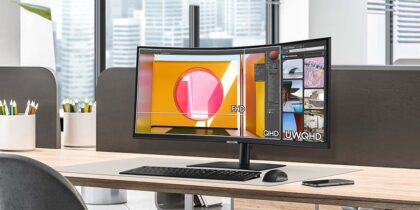
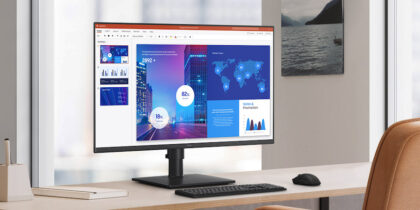
For everyday work and general media consumption, standard LCD and LED monitors can perform extremely well, delivering high-definition visuals even at entry-level price points. More specialized tasks, such as gaming, graphic design and medical imaging, benefit from higher color accuracy, contrast and response times, where OLED and high-end QLED monitors can offer meaningful advantages.
Viewing environment
The environment plays a major role in display performance. LED and QLED monitors tend to achieve higher peak brightness, making them better suited for brightly lit spaces such as offices, retail floors and conference venues. OLED monitors often perform best in darker or controlled-light environments, where deep blacks and contrast can fully shine. Viewing angles matter, as well; OLED panels typically maintain consistent color and clarity even when viewed off-center.
Size
LED monitors offer the broadest range of sizes and form factors, making them adaptable to nearly any workspace. OLED, QLED and microLED monitors are more commonly found in mid-to-large formats, where they function as visual focal points rather than secondary screens.
Energy efficiency
OLED monitors are known for their efficiency, as individual pixels can turn off entirely when displaying black, reducing power consumption. MicroLED technology is rapidly closing the
gap, and, in some cases, matching or exceeding OLED efficiency, particularly in larger-scale installations.
Visual impact
When visual presence matters — such as in creative studios, executive offices or high- visibility workspaces — premium monitor technologies like OLED and QLED stand out. Their contrast, color depth and clarity naturally draw attention and can elevate both content presentation and overall workspace perception.
Team OLED or non-OLED?
OLED has earned its reputation as one of today’s most visually impressive monitor technologies. Its ability to produce vivid colors, deep contrast and lifelike imagery makes it an excellent choice for many premium use cases. But visual performance alone doesn’t determine value.
The right monitor choice depends on how and where it will be used, what content it will show and how it fits within broader operational and budget considerations. Weighing those factors carefully helps ensure the technology delivers not just great visuals, but lasting performance and return on investment.
Discover the full range of Samsung monitors to find the best model for your needs.