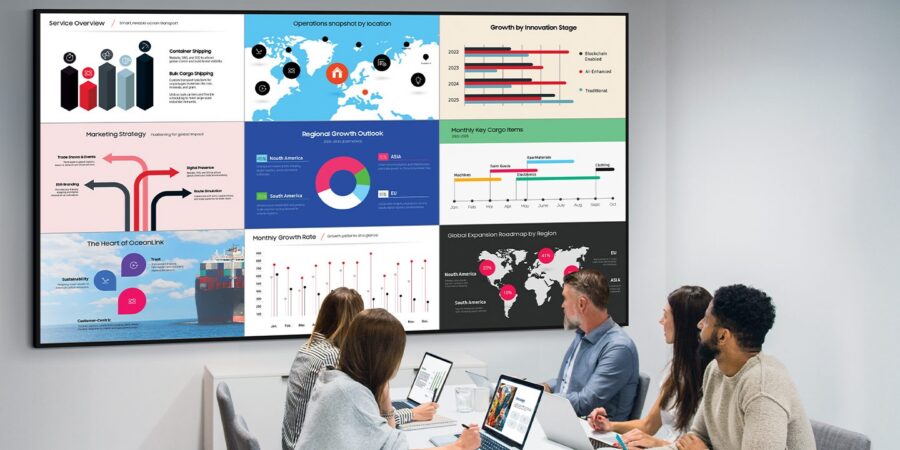
Business success often stems from seeing “the big picture,” whether it’s understanding the customer journey, creating a product roadmap or reporting on performance across multiple departments at once. In situations like these, an ultra-large display can help acquire this broad vision, with the large format, resolution and field of view that businesses require.
Samsung delivers on this need with a wide range of ultra-large displays, each providing distinct design characteristics and features that can work anywhere, from the boardroom to the classroom and beyond. Here’s what you should know about each to make the best possible investment for your business and team:
QHFX
Overview
This 115″ LCD marks a new standard for large-scale display. Designed for immersive, visual storytelling, the 115″ Supersized Signage QH115FX 4K Commercial Display makes a bold statement in a variety of commercial settings, from retail shops and corporate boardrooms to theaters and indoor arenas. From its unmatched size and slim profile to flexible installation and premium picture quality, this display delivers on every front and can do so 24/7 thanks to its commercial-grade durability.
Main features
The visual impact comes from more than just the size. The 115” also brings a 1,000 nits brightness, an antiglare panel, high-density Quantum Mini LEDs and AI optimization of imagery. Further calibration of screen color, white balance and brightness can be made from connected mobile devices. This ensures all content on the screen pops and punches far above its weight. Meeting rooms thrive on the 115-inch display, too. Collaboration tools enable wireless screen sharing of up to nice devices, while the built-in 60W 4.2.2 channel sound system supports virtual attendees with rich and well-balanced audio.
What sets it apart
As one of Samsung’s newest display models, the 115″ comes packed with the latest technology and tools, keeping it on the cutting edge across the board. That includes AI, which drives a number of features on the display, especially those enhancing screen content to present it in the best way possible. The integrated sound system also saves companies from having to install audio equipment, the space it takes up and time spent on maintenance.
QMC
Overview
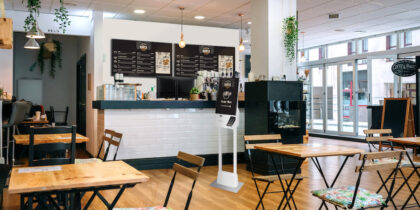
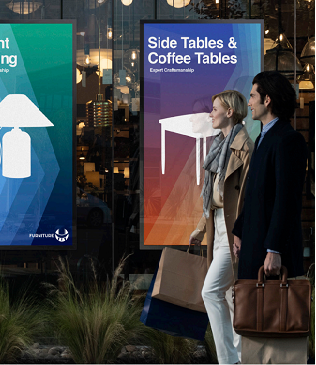
A great business display should feel like it’s always meant to be there. It should offer its intended environment the right degree of viewability and contribute to its overall elegance. That’s what you get with the QMC Series, which provides maximum impact while taking up minimum space. The QMC works well as a digital menu board to welcome visitors in a reception area and other professional contexts.
Main features
One of the slimmest displays in Samsung’s UHD signage portfolio, the QMC offers a 28.5mm depth and consistent bezels on all four sides, which means it works just as well in portrait or landscape mode. A Quantum Processor Lite 4K and Dynamic Crystal Color means content on the QMC can be shown in more than a billion lifelike shades, and the non-glare panels work equally well in airports or train stations.
What sets it apart
An ultra-slim display like the QMC is ideal for making the most of whatever space you’re working within. It’s also easy to mount, thanks to the central positioning of the VESA holes on the back. These allow the weight to be evenly distributed for secure mounting and no risk of accidentally getting tilted.
All-in-One IAC
Overview
It’s a simple rule of thumb: Display technology that’s easy to use gets more use. Businesses also appreciate easily setting up digital displays to immediately take advantage of their capabilities. Most importantly, there’s great value in ultra-large displays that don’t require investing in additional peripherals and other components. That makes the All-in-One IAC 130″ 2K a particularly ideal option for busy, growing companies who may not have high-capacity IT teams to install and configure new technology. The All-in-One setup removes this hurdle and speeds access to the benefits.
Main features
The All-in-One IAC is a true all-in-one solution. That means everything from the control box to the wall brackets and decorative bezels all come included. There’s also no compromise on quality because Samsung offers Dynamic Peaking technology that analyzes content shown on the IAC in real time and manages power consumption. This produces a brilliant, eye- catching display against any background, and LED HDR can upscale any content into HDR quality without requiring special metadata.
What sets it apart
The All-in-One IAC offers a big impact based on an extremely quick installation process. Samsung’s Quick Build structure requires you to dock the two background plates and hang four preset modules. The control box is also built into the display, which avoids any cumbersome configuration steps. You can be up and running in as little as two hours, and if you want to combine them — at an event where an image of a keynote speaker runs next to a presentation, for instance — it’s easy to expand your setup.
The Wall
Overview
When it’s time to offer a “Wow” moment, you need The Wall. It’s designed for businesses wanting to elevate their brand while focusing on what matters, such as easy operation and maintenance. Companies in markets ranging from retail, hospitality and healthcare to automotive and government organizations have all benefited from The Wall’s size.
Main features
The Wall boasts a slim, bezel-less design that allows it to seamlessly blend into its surroundings, as well as a Décor Frame with a refined, subtle but sleek finish. Its modular form factor allows businesses to customize the size, shape and ratio of the Wall based on the spatial and aesthetic requirements of the space where it’s installed. MicroLED technology allows The Wall to transfer micrometer-scale LEDs into LED modules, and low-reflection black technology delivers unprecedented contrast.
What sets it apart
There’s no better way to bring remote and hybrid employees together than through a truly immersive experience for enhanced videoconferences. The Wall also provides an excellent opportunity to highlight a brand’s values and share business information with customers and visitors. Whether you’re a retailer trying to lure customers back into stores or a carmaker showcasing their latest vehicle, The Wall offers display technology that no one will forget.
Choosing the best digital display technology for your business
Selecting display technology should begin with evaluating the full range of potential use cases that benefit both your employees and customers. These could include telling brand stories, conveying product information and wayfinding.
You’ll then want to get granular about details such as the viewing environment where you’ll put digital displays and what your audience will expect in terms of resolution, color, contrast and immersion.
Next, determine what makes sense for your budget, considering that Samsung offers highly affordable options for every business.
Discover more about boosting your business potential with Samsung digital signage.