The goal of every teacher is to help students learn more effectively. Interactive learning tools have become central to that mission, which is why interactive displays are now standard fixtures in classrooms, and why the market is projected to grow at a 7.51% compound annual rate from 2026 to 2033.
AI is accelerating this shift. In a 2025 study, most students reported that AI-based technologies improve their education experience. A big reason, based on the research, is that these tools optimize study time and provide faster access to personalized resources that make complex materials easier to understand. Interactive displays extend that value even further, giving educators the flexibility to present lessons in multiple formats and tap into expansive digital content libraries.
Together, interactive display technology and AI tools are reshaping the classroom into a more adaptive, engaging environment; one that supports better teaching outcomes and more meaningful learning experiences.
Designed for today’s classrooms, Samsung Interactive Display WAF Series — including the latest Pro model WAFX-P— and the Interactive Display WEFX OS-Free offer educators different paths to interactive teaching.
WAF and WAFX-P provide an all-in-one experience with a built-in operating system that supports advanced collaboration, content access and classroom workflows. WEFX, by contrast, removes the OS entirely for a streamlined, plug-and-play approach, allowing teachers to connect their own device and teach instantly in a familiar environment.
These interactive displays bring several advanced features to help teach more dynamically and engage more deeply:
1. Powerful screen mirroring
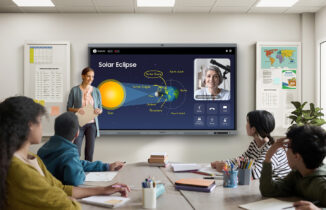
Engaging students often means putting the lesson into their hands, literally. With Samsung WAF and WAFX-P, teachers can mirror up to nine devices, sharing what’s on the interactive display screen with the students’ tablets, phones and computers. It’s a two-way street, as the content on student devices can be mirrored on classroom interactive screens for teacher feedback and activity management. This is enhanced further by the compatibility of Samsung WAF and WAFX-P with Mac, Windows, Android and Chrome operating systems, ensuring that every student is included and engaged with the lesson content and supporting activities.
2. Easy tech connections
Samsung WAF and WEFX simplify tech connections, allowing teachers to easily connect the screen to a computer, tablet or USB drive via the 3-in-1 USB-C port, which also enables screen mirroring, touch control and external device charging. The WAFX-P adds a near field communication reader, allowing teachers to tap their card to log in and access personalized settings and content. Teachers can also link directly to the school’s shared cloud drives, pulling in material as needed and saving completed lessons for future access. With the HDMI Out function, teachers are able to expand the playing field by sending the content of the interactive board to another digital display, enabling lessons, presentations and activities to be seen easily by any student, regardless of where they are sitting.
3. Powered search
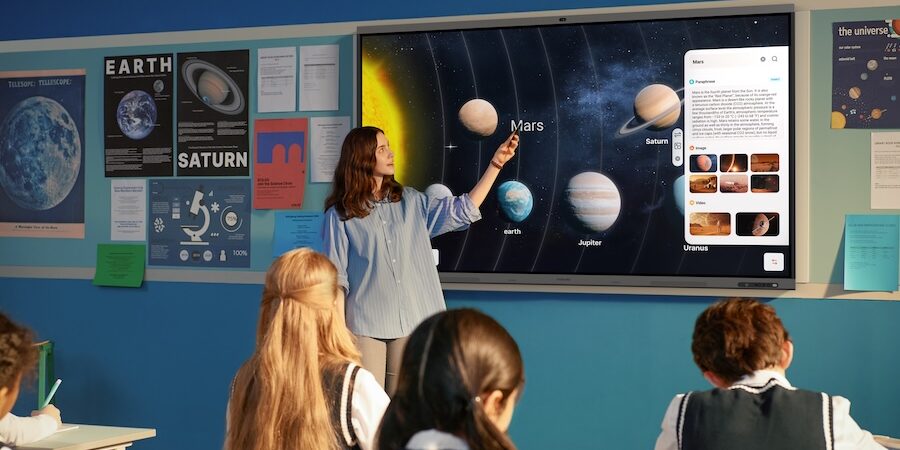
A powerful AI feature of Samsung WAF and WAFX-P is Circle Text and Search. To discover more about any element on the screen — text, image or other — simply circle it with a finger or the dual pen and let the display take over. The interactive whiteboard will search the internet to find related material. This might be a definition of a word, video tutorials, data sets and related imagery, all of which provide additional resources and tools to help teachers achieve lesson goals.
4. Voice recording and transcription
Samsung WAF and WAFX-P interactive displays have the ability to record and transcribe class lectures and student input. The technology then uses that recording to create a summary, complete with overall keywords, headers for each section and timestamps where important points are made. This allows both students and teachers to easily navigate the material whenever they want, speeding access to the information they need.
5. Multiple touchpoints
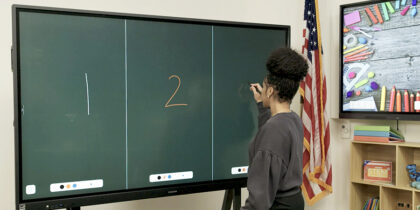
Samsung WAF, WAFX-P and WEFX foster interactivity through multiple touchpoints. In fact, the WAF and WEFX support up to 40 simultaneous points of contact, and the WAFX-P, up to 50, enabling group work and collaboration on a single canvas in an efficient, streamlined way. Split Note Mode further divides the screen into up to four independent zones. In each, students and teachers can work without disrupting each other. This enhances multitasking and brings more voices into the discussion naturally.
6. Seamless annotation
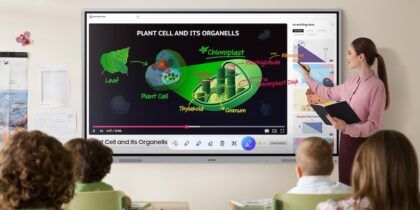
One way to highlight lesson material on the screen and respond to student questions and comments is through annotation. WAF, WAFX-P and WEFX make this incredibly easy with a simple press of the Annotation button. Once the feature is activated, users can take notes on any content, including video, at any time without having to interrupt the flow of the class or switch mediums. The dual pen also makes it intuitive and familiar, very similar to writing on a traditional board with a marker or chalk, only cleaner. And on the WAFX-P, users may select an item on the screen with one finger without switching modes, making operation more natural, intuitive and seamless.
7. Quick access controls
Samsung WAF, WAFX-P and WEFX not only provide teachers and students with a bevy of tools, applications and features, but also make them incredibly easy to access. All functions are on the front of the display, eliminating the need to hunt around the sides and back for them. At the bottom of the frame, find buttons for the power, volume and more, while on the screen itself, simple taps bring up the various taskbars and applications. This easy access saves time in calling up digital tools and allows teachers and students to take full advantage of them.
Interactive whiteboards offer dynamic, versatile tools that enhance both teaching and learning. With their ability to foster student engagement, they are a transformative solution shaping classrooms worldwide. As the market grows and technology develops, so too does the potential for interactive, innovative displays to enrich educational experiences.
Learn more about Samsung’s lineup of interactive displays and discover the full specs and features of Samsung Interactive Display WAFX-P.
*Samsung AI Assistant app features will be available with a future software update in 2026.