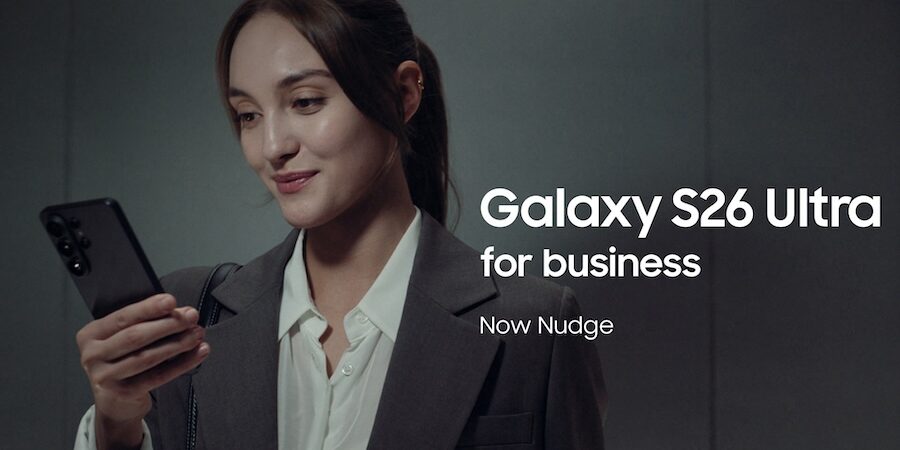
When you provision a new mobile device to employees, they’ll likely already know how to use it to text, email and call colleagues and clients. Give them Samsung Galaxy S26 Series, however, and they instantly gain access to a host of innovative tools that transform the mobile work experience.
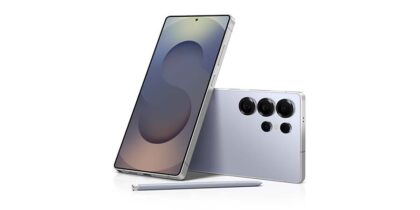
Designed to empower employee productivity, Galaxy S26, Galaxy S26+ and S26 Ultra are ideal for organizations looking to elevate the way work gets done. The devices adapt to your business needs and goals with features that include the most powerful processor in a Samsung mobile device yet.
When combined with a new range of AI-driven tools, the mobile devices truly break ground, enabling new levels of achievement and productivity. Here’s how:
Secure screen content with Privacy Display
The more work that happens on your mobile device, the greater the need to keep the sensitive files and data away from prying or wandering eyes. Galaxy S26 Series achieves this with the world’s first Privacy Display built into a mobile device. With the tap of a button, you can make company data, sales charts, strategic briefings and budget spreadsheets visible to you, but not to those beside you.
The secret sauce is Black Matrix technology, which narrows the light beams coming from pixels and directs them to the person holding the device. The feature is adjustable, both in intensity and application. The level of the Privacy Display effect can be fine-tuned according to personal preferences and set to automatically turn on for certain notifications, passwords and apps. In short, Privacy Display gives users greater control over who sees what.
Kick-start the workday with Now Brief and Now Nudge
With Galaxy S26 Series, each day begins smarter. The Now Brief feature is a prime way it does so. It provides personalized insights and timely reminders before you ask, such as appointments you may have forgotten. Think of Now Brief as a personal assistant and productivity partner who anticipates your needs, keeping you on top of things with minimal effort. For instance, if traffic is bad, and it sees a meeting on your calendar, Now Brief will notify you to leave earlier.
This is bolstered by the new Now Nudge feature. This behind-the-scenes AI assistant helps in several ways. When you need to reply to a text or fill out an online form, Now Nudge can recognize the context and use information saved on your phone to do it for you. Furthermore, if a colleague asks to meet, Now Nudge will immediately pull up your calendar to check. That translates to faster replies, fewer app switches and more tasks completed by the time you get to work.
Use Circle to Search with Google instead of random keywords
Let’s say you’re a marketing manager tasked with finding the next keynote speaker for your organization’s customer conference. The traditional approach would be to enter your company’s industry into a search engine, along with terms like “keynote speaker” or “expert,” and see what comes up.
During this search, you might spot a compelling and authoritative person talking in an online video. The speaker’s face and name might not be familiar, though, which will require digging online to find more information.
Galaxy S26 Series employs Circle to Search with Google to speed up this process dramatically. Just use your finger to draw a circle around the speaker’s face, and you’ll immediately connect to a page of relevant Google results that provide all the details you need. See a graph and want to find the sources behind? Repeat this process and watch them appear. The S26 Series takes it one step further by allowing multiple objects to be circled at once, eliminating the need to jump back and forth for each item.
Break down language barriers with Live Translate and Interpreter
As more brands take a digital-first approach, they should be able to expand into any corner of the globe. In some cases, though, language presents a formidable barrier. No one wants to scramble to copy-paste text messages into an online translation tool or force someone who prefers phone calls to use a channel that’s easier to interpret.
Galaxy AI on the S26 Series solves this with Live Translate and Interpreter. Live Translate works in real time to transcribe phone calls, even offering an AI-powered summary of the call’s highlights, while Interpreter does the same in face-to-face conversations. This lets your team move forward with critical business transactions, develop presentations for multilingual audiences and more. No special download is required, and 22 languages are supported.
When the features are combined with Samsung Buds4 Pro wireless earbuds, the translations go right to your ear, thanks to the S26’s AI assistant, which translates phone calls in real time. The six microphones inside the earbuds can also isolate the voices from background noise, improving the clarity of live translations.
Enhance notetaking and communication
Whether working on a project or closing a deal, employees are most likely juggling multiple tasks at once, such as taking notes and chatting with coworkers and customers. In both cases, many things could go wrong, from meeting notes that are difficult to decipher to a poorly worded message that accidentally creates a bad impression on the recipient.
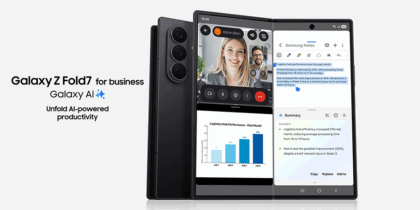
Galaxy S26 Series allows you to take notes smarter and put your best foot forward with Note Assist and Chat Assist. Both features are directly integrated into your existing workflows. With Note Assist, for instance, you can continue to jot down ideas and key takeaways as you normally would, while, in the background, Note Assist will summarize, format and translate your notes so they’re organized when you need to refer to them.
Chat Assist is just as efficient, giving real-time suggestions and recommendations as you type new messages to your contacts. Tailor your messages to adopt a more professional tone, for instance, or opt for a more casual voice with contacts you know well. The technology also addresses typos that may get in the way of communicating your key points.
Create stunning multimedia content
Your team probably realizes that great photos and videos are essential in helping nurture prospective customers to invest in your products and services. The trouble comes when conditions are less than ideal, or results don’t look professional enough.
From creation to editing, Galaxy S26 Series provides the tools to level up photos and videos. That starts with the three back lenses — a 12MP ultra-wide, 50MP wide and 10MP telephoto on the S26 and S26+, and 50MP ultra-wide, 200MP wide and 50/10MP telephoto on the S26 Ultra.
On the front side of all models, find a 12MP lens good for teleconferencing and taking the best selfies ever, thanks to an AI image signal processor that more precisely captures a natural skin tone and other details. Nightography ensures high quality imagery 24/7. Video capture can reach up to 8K resolution on the S26 Series, and moving pictures stay steadier with the new Horizontal Lock feature.
That’s just the start of image making, too. Galaxy S26 Series includes Photo Assist and Creative Studio, which offer numerous ways to refine pictures. Add objects, restore details, reframe the photo or apply new styles. You can also pull in objects from Samsung Gallery and blend them naturally into the scene with lighting and shadow effects. Through AI support, you can make these edits through voice commands, telling your device what you want, then watching it carry out the request. Go even further in Creative Studio by generating playful illustrations and 3D cartoons.
Elevate your business with Galaxy S26 Series
Samsung Galaxy S26 Series is more than just a mobile device; it’s a gateway to enhanced productivity, creativity and global collaboration. The recurring theme with all these features is they don’t come with a steep learning curve that requires extensive employee training. It’s only a matter of making the team aware of what they can do with the advanced Galaxy S26 Series, and they’ll see how epic it is for business.
Sign up for updates on Galaxy S26 Series, and enjoy exclusive volume pricing, bulk trade-in discounts, free shipping and more with a Samsung Business Account.