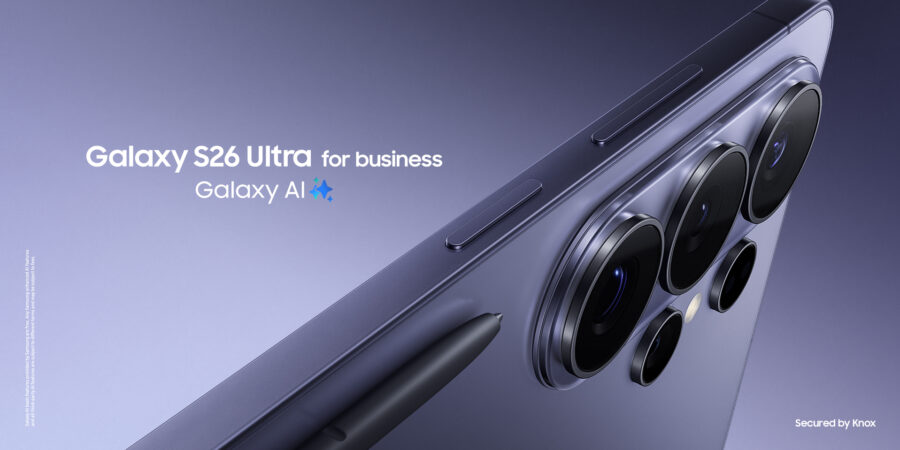
Buying a new mobile device is exciting, especially when new models like Samsung Galaxy S26 Series brings so many powerful features and capabilities. But switching to an entirely different mobile ecosystem? For many people, that’s a bridge too far.
Thankfully, switching isn’t the hassle and headache it used to be. Free services like Samsung Smart Switch handle the legwork, and virtually all top business and consumer apps support both major platforms. As a result, replacing an iPhone with a Samsung Galaxy device is now just as seamless as upgrading from an older Galaxy device to the latest ones.
Ease is only one reason of many to consider a switch. Here are 26 more that show why it’s worth making the move to Samsung.
1. New ways to go mobile
Samsung mobile devices are designed for how people live and work today. Each release brings exciting new features and capabilities that take mobile productivity to the next level.
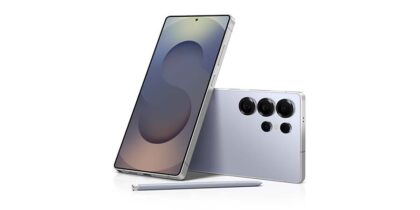
Galaxy S26 Series is a case in point. It gives you the power to create and communicate when, where and how you want. With the most powerful processor yet on a Samsung mobile device, Galaxy S26 powers your workday from sunup to sundown. It’s like having your own personal assistant for everywhere you go and anything you do.
2. Privacy Display
Galaxy S26 Series boasts the world’s first Privacy Display built into a mobile device. When activated, the feature makes screen content visible only to the person looking straight on, but not those viewing at an angle. That makes it easier to control what you share and whom you share it with.
Privacy Display is adjustable, too. It can be preset to automatically activate when you receive notifications, use specific apps or type in a password. The intensity of the effect may also be increased and reduced.
3. Galaxy AI
Samsung’s mobile AI capabilities are second to none. Galaxy AI provides a suite of new tools to enhance productivity, streamline communication and simplify interactions.
For example, Live Translate and Interpreter break down language barriers in real time by providing seamless translation for both voice and text communications. Whether in a global meeting or chatting with international friends, understanding and being understood are now effortless.
Transcript Assist is capable of recording discussions, distinguishing between different speakers and providing concise summaries of what was said. Meanwhile, Note Assist quickly formats, summarizes and organizes your notes for you.
Galaxy S26 Series adds Now Nudge, which uses screen cues to pull up information saved on your mobile device, right when you need it. A friend asks to meet? Now Nudge checks your calendar. Another asks for the photos taken last week? Now Nudge pulls them up for an easy share. That means quicker replies, fewer app switches and stronger focus on the tasks at hand.
4. Multitasking
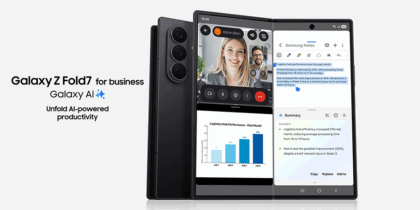
Galaxy mobile devices leverage crisp, expansive screens to give users various options for working across multiple apps. On Galaxy Z Fold7, launching two or even three apps in split screen is as easy as swiping left to open the Edge Panel and selecting an App Pair — apps you frequently use in tandem, like email and Office or Spotify and Samsung Health. They’re your shortcuts to multitasking. Galaxy Z Fold7 also has a taskbar at the bottom of the display while you work in apps.
Another multitasking option is a pop-up view, which lets you position a second app in a floating window over a primary app. This is great, for example, when you want to continue a video call while viewing content or gaming in full screen.
Circle to Search with Google also enables you to launch a quick Google search simply by circling any object or text on your screen, rather than opening your browser and typing in a search term.
5. The Android app ecosystem
Speaking of apps, you’ll have plenty to choose from. In terms of the sheer number of apps, the Google Play Store has continued its growth trajectory. Its breadth and depth of options feel almost infinite.
The typical counterargument here is that it’s about the quality of apps, not quantity. But, with so many Android devices actively in use worldwide, very few quality app developers today are leaving Android off their road maps. Aside from a few proprietary apps, you’ll find that virtually all your favorite business and entertainment apps are just a download away on your new Galaxy mobile device.
6. Best-in-class cameras
You don’t usually anticipate the experiences you want to remember forever, so the camera you carry on your mobile device matters. Samsung Galaxy devices have a range of camera configurations, all designed to help even the most amateur photographers take amazing shots.
On Galaxy S26 and S26+, find 12MP ultra-wide, 50MP wide and 10MP telephoto lenses on the back side and a 12MP on the front. Nightography photo and video modes ensure photos and videos taken in low lighting look just as good as bright scenes. With video, SuperSteady mode uses a Horizontal Lock feature that keeps shots level regardless of movement and speed.
Once photos and videos are taken, AI-driven software can take them to the next level. With Photo Assist, Galaxy S26 can add objects, restore details, reframe your photo or apply new styles on the fly. Creative Studio adds fun by creating stickers and animations that can be added to captures or stand on their own.
7. Office productivity
When your device powers up, it should be ready to go. In most cases, that means having quick, easy access to powerful business apps, such as Microsoft Office and Google Workspace.
Microsoft and Samsung have collaborated closely to integrate Office on the latest Galaxy devices. That means when you need to review a Word, Excel or PowerPoint file, you can jump right in, make your edits, save and share. It also means your files are instantly accessible in OneDrive.
Link to Windows, another product of the Microsoft-Samsung partnership, lets you access your Galaxy mobile device right from your Windows PC. You can view and send messages, take calls, view photos and access your apps, all without picking up your mobile device.
8. Samsung DeX
One big reason to switch to Galaxy AI is Samsung DeX. This feature allows your Galaxy mobile device to power a full desktop experience by connecting it to a monitor or smart TV and pairing a keyboard and mouse. DeX also works wirelessly on any Miracast-enabled display, including Samsung Smart TVs and Samsung Smart Monitors.
DeX lets you take full advantage of the mobile device’s processing power. You can launch and resize multiple apps and use keyboard shortcuts and right mouse button clicks, just as you would on a traditional PC.
A key feature that distinguishes DeX from screen mirroring is its ability to function independently of the mobile device, rather than simply reproducing what’s on it. That gives mobile workers two screens to work with, not just one.
9. Long-lasting battery and power-sharing
Your mobile device should be reliable all day without you worrying about running out of battery. Samsung continues pushing the limits of battery life in its mobile devices, with Galaxy S26 Series reaching 31 hours of video playback on a full charge. Traveling for work? the mobile device optimizes energy use so you can stream your favorite shows, navigate a new city and video call your colleagues without worrying about recharging.
Samsung devices provide fast charging, giving you hours of power in minutes. Galaxy S26 Ultra, for example, can recharge to 75% in just a half hour. An adaptive power-saving mode helps extend the battery life of your Galaxy device by minimizing the apps, functions and features you don’t often need.
Best of all, Wireless PowerShare allows you to offer a coworker — or even a customer — some extra battery life for their mobile device when needed. You can also give your Galaxy Buds4 a boost by placing them on the device.
10. Knox security
The work files you manage and access from your mobile device need to be protected. So do your personal files and apps. In most cases, you just hope you won’t be among those affected by increasingly sophisticated cyber threats.
Samsung Knox — a comprehensive set of security features at both the hardware and software level — is trusted by governments and large enterprises. But they aren’t the only customers who benefit. Samsung Galaxy users get real- time protection from the moment they turn on their devices.
Knox Vault takes this to another level. By combining tamper-resistant Secure Memory with a Secure Processor, Knox Vault lets you safely store your most sensitive data — PINs, passwords, biometrics, authentication keys, Samsung Pass and more — under lock and key.
11. Advanced biometric protection
When you’re not using your mobile device, no one else should be able to pick it up and get past the locked screen. Nothing will provide as effective a balance of security and user convenience as biometric authentication.
Samsung Galaxy devices have led the way in introducing advanced biometric authentication options. Ultrasonic fingerprint ID uses an innovative in-display sensor to create a 3D image of your fingertip, delivering superior accuracy to traditional capacitive sensors. Galaxy mobile devices also offer facial recognition to let you unlock with a quick look.
12. Samsung Wallet
Finances represent one of the most complex aspects of our lives, often causing frantic switches across apps and frets about security. Samsung Wallet aims to simplify all of this and boost peace of mind, along with your finances.
The app brings your financial activity under a single dashboard, incorporating your bank cards and enabling electronic payments in stores, apps and online. Add to this ID cards, memberships and subscriptions, tickets and passes and even your car keys. Samsung Wallet is also the home of Samsung Pass, which saves and secures your passwords, usernames and login details. An extra layer of security by Samsung Knox keeps everything under lock and key.
13. SmartThings Find service
Samsung’s free SmartThings Find service tracks your mobile device using location information collected by Google and data passing through wireless networks. Once you’ve activated SmartThings Find, you can find your Samsung device from any web browser.
If you ask the service to “Send last location,” you’ll be able to spot your device on a map, and if the location is moving, you’ll get updates every 15 minutes. There are other helpful features, too, like having your mobile device ring on maximum volume even if it’s set on vibrate, or displaying a contact number on the screen, so someone who finds the device can contact you.
And if the device has fallen into nefarious hands, SmartThings Find enables you to wipe all data and perform a factory reset, ensuring your sensitive information stays secret.
14. My Files app
The longer you use your mobile device, the more content you’ll likely want to store, including files as diverse as PDFs, presentations, movies and podcasts.
Samsung’s My Files app ensures the content you collect stays organized, whether it’s stored on the device or in the cloud. Just sync your OneDrive, Google Drive and Samsung Cloud accounts to access all your files from the single app. You can even connect network storage via file transfer protocol using My Files on the latest Galaxy devices.
15. Task automation
Humans are creatures of habit, and habits are easier to maintain when they don’t involve a lot of extra effort. Modes and Routines allows Samsung Galaxy users to take a set-it-and-forget-it approach to everyday tasks. For example, if you usually wake up around the same time to your favorite music, you can customize the “Good morning” routine to your desired wake-up time and preferred streaming music playlist.
Think about how you operate at work, the gym or anywhere else. Chances are there’s a feature on Modes and Routines you could use to automate something.
16. Smart home controls
With home offices now a regular work arrangement, hybrid and remote employees can easily get distracted, wondering if the laundry’s done or a light’s left on upstairs. The Samsung SmartThings platform allows Galaxy users to consult a single device for all their notifications and directly control everything from the thermostat to the TV, helping them maintain focus during the workday and relax after hours. SmartThings works with a wide range of connected devices, including Ring Battery Video Doorbells, Google Home and Amazon Echo, Philips Hue lightbulbs, Yale and Schlage connected locks, Honeywell thermostats and Bose speakers.
17. Samsung Health
Health and wellness are essential to staying motivated and productive. The Samsung Health app allows you to monitor your nutrition, track fitness goals and even practice meditating. You can use the app to learn how to work out at home with everyday items, watch videos hosted by expert coaches and set challenges for competing with friends and family. Samsung Health is especially useful when paired with a Galaxy wearable, which can also enable productivity benefits in the workplace.
18. A wearable ecosystem
Samsung has an impressive array of smartwatches and wireless earbuds to choose from — and they all work together in the seamless Galaxy ecosystem. Galaxy Watch8 and Galaxy Watch Ultra allow you to answer a call with a hand gesture, respond to emails automatically and get real-time feedback on the go. There’s also Galaxy Ring, perhaps the sleekest and most sophisticated wearable yet. And don’t forget about Galaxy Buds4 and Galaxy Buds4 Pro, which feature Active Noise Cancellation aided by six microphones that detect ambient noise and block unwanted sound.
19. Greater customization
Every time you unlock your mobile device, you look at the home screen’s app icons, wallpaper and widgets. Samsung Galaxy devices let you customize your home screen with your own look and feel. Besides grouping apps into folders, adjusting themes and adding background images, you can use the Quick Settings panel to find frequently accessed settings such as brightness, Wi-Fi and sound.
20. Device choice
Mobile devices come in many shapes, sizes and feature sets. You shouldn’t feel limited when choosing one, especially as a business professional.
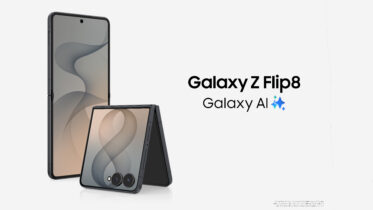
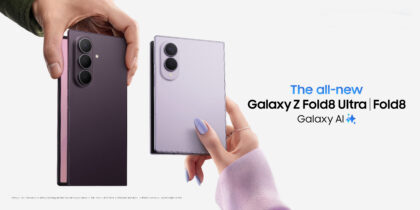
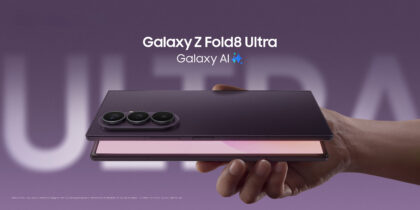
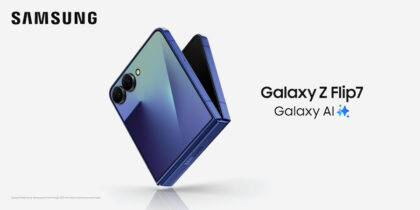
Fortunately, there’s a Samsung Galaxy device to suit everyone — from Galaxy S26 and Galaxy Z Fold7 to the rugged Galaxy XCover7 Pro and affordable Galaxy A Series.
21. Latest Bluetooth
The strength of a wireless connection between devices depends on the quality of Bluetooth. The revolutionary technology has undergone significant evolution since going mainstream in the mid 2010s, with each new version leveling up strength, stability and security.
Samsung devices have kept pace and feature the latest generations of Bluetooth in its devices. Buds4 and Buds4 Pro come with Bluetooth 6.1, released in May 2025 to enhance privacy and efficiency. Galaxy S26 Series uses Bluetooth 6.0, which introduced “Channel Sounding” to help locate missing or misplaced devices.
22. Mobile device to PC (and beyond) continuity
While Samsung devices like Galaxy S26, Galaxy Z Fold7 and Galaxy Z Flip7 are purpose-built to support high levels of productivity on the go, they also mesh with the rest of your Galaxy lineup when you’re in the office. Lean into features like Quick Share to send content from your mobile device to your PC in a single tap. Access your mobile apps, make calls, respond to text messages and easily transfer files, without even picking up your mobile device. That is, until the next task calls, and you’re out the door and back on mobile.
23. Secure Folder
Even in the worst-case scenario, if your mobile device has somehow been compromised, there’s another way you can protect your most important data and apps. Secure Folder allows you to separate selected apps and content — and keep all of them secure.
Think of Secure Folder as a private, locked container on your device that requires additional authentication to open. You can move apps and files into the Secure Folder and even have two instances of apps — one in the Secure Folder and one on your main home screen. You decide how to unlock your Secure Folder, whether via password, PIN or biometric authentication.
24. Easy switching
The decision to upgrade your mobile device shouldn’t come with any trade-offs, like losing the content and apps you rely on. Samsung Smart Switch transfers, backs up and restores everything you want on your new Samsung Galaxy so quickly and easily — you’ll probably wonder why you didn’t do it sooner.
25. Device durability
No degree of technology is useful if it’s highly fragile. Considering how often mobile devices are dropped, dinged and splashed in an average day, it’s critical they are as durable as they are capable.
Samsung mobile devices embrace that truth and match their technology with durability. Galaxy S26 Series is rated IP68, withstanding all dust and immersion in nearly 5 feet of fresh water for up to 30 minutes. Against drops, the mobile device employs an Armor Aluminum frame and Corning Gorilla Glass Victus screen. Together with Samsung Knox, they extend protection to the complete device — software and hardware included.
26. Powerful processing
Galaxy S26 Series lets you power through your day with AI-accelerated processing via the Snapdragon 8 Elite Gen 5 for Galaxy. Stay connected with context-aware reply suggestions, fine-tune photos and seamlessly open and switch between apps without missing a beat. So powerful is the processor, that it even enables console-level gaming.
Start here to see where Samsung Galaxy mobile devices can take your business. Need to support an entire ecosystem? Remember that businesses may take advantage of special offers, volume pricing, bulk trade-in opportunities and free shipping with a Samsung Business Account.