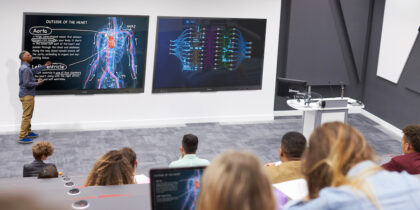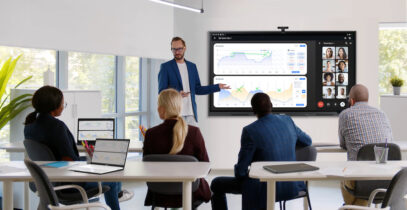
Modern meeting rooms must support more than presentations. Employees use these spaces for video calls, planning discussions and project work, while also coordinating with teammates joining from other locations.
That can create friction when the room depends on too many separate tools. Interactive displays give enterprises a way to consolidate more of the meeting experience into one shared workspace, reducing setup time and creating a more consistent, collaborative experience across meeting spaces.
Technology that reduces friction
Effective hybrid meetings depend on seamless transitions. Teams may need to move quickly from a presentation to a video call, then into whiteboarding or document review. But when each step requires a different device, cable or login, collaboration slows before the conversation even begins, leaving employees troubleshooting technology instead of exchanging ideas.
Modern interactive displays from Samsung, such as Interactive Display WAFX-P Android OS and Interactive Display WMFX Tizen OS, reduce this friction by unifying all these tasks into a single device.
WAFX-P supports a more integrated meeting room setup, while WMFX is geared toward teams that rely heavily on visual collaboration and whiteboarding. Both help keep the flow of ideas and action moving forward, maintaining momentum rather than stopping action to check cables, reset passwords or call IT support.
A simpler way to bring meeting tools together
Interactive displays can simplify meeting spaces by consolidating essential tools into one place. Instead of requiring teams to connect multiple separate devices before a meeting, they provide a centralized hub for seamless collaboration.
Built-in access to apps and workflows
To support the all-in-one meeting experience, WAFX-P runs Android 15 and is Google EDLA-certified, giving teams access to Google apps and services directly from the display. For businesses already using Google-based workflows, this can reduce the need to connect another device just to open files, launch apps or share work.
All-in-one video collaboration
WAFX-P includes a 48MP camera, a far-field microphone with a 32-foot pickup range, dual 20W speakers and a woofer. The integrated setup helps organizations support hybrid meetings without installing separate conferencing equipment in every room.
Options for different work styles
Screen sharing lets users share content from their personal devices on the display. WAFX-P’s open pluggable specification slot can also support a more self-contained room setup, allowing teams to access familiar apps and files directly from the display rather than relying on a separate laptop.
Turning meeting rooms into active workspaces
In meetings, ideas move quickly across the room. Notes fill the board, documents live in separate drives and reference materials remain buried in browser tabs and bookmarks. Once those pieces become disconnected, teams can lose the context that made the ideas valuable in the first place.
Interactive displays help keep more of that work visible and accessible from the same shared workspace. Teams can write, mark up content, review documents and organize ideas from the display, reducing the need to move between separate tools during and after the meeting.
Search handwritten notes in real time
WAFX-P’s AI Write and Search feature uses digital ink recognition, allowing users to circle handwritten notes and instantly search for related web results and images without stopping to type. Teams can pull up examples, visuals or background information while the original idea is still on the board.
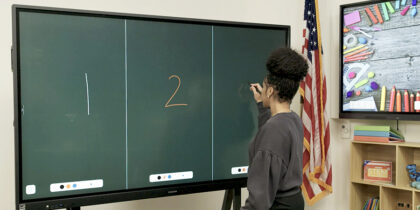
Natural whiteboarding experience
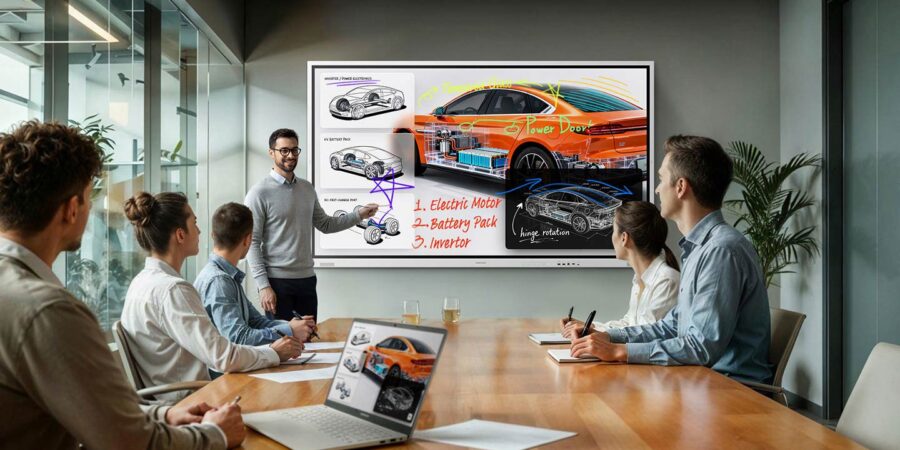
While WAFX-P helps consolidate the broader meeting room experience, Samsung WMFX Interactive Display is designed for teams that spend more time working visually. Its natural and precise writing feature gives teams a smoother experience for brainstorming and marking up content, while the Whiteboard app makes notes and sketches editable as ideas develop.
WMFX also features an AI Writing Tool that can refine rough shapes into cleaner graphics, helping teams transform early concepts into polished visuals that are easier to share.
Flexible canvas for different meeting formats
WMFX can also adapt to different collaboration needs. Flip Home keeps frequently used apps — such as Whiteboard, Note On, Workspace and Screen Share — accessible from the display.
Easy multitasking lets teams review documents and take notes on the same screen, while the rotatable design supports vertical writing sessions and horizontal presentations.
A more manageable standard for modern workplaces
As interactive displays become more common across corporate environments, consistency matters. A familiar room experience makes it easier for employees to start meetings and share content, while providing IT teams with a more stable foundation for deployment, support and security.
WAFX-P supports centralized device management, so IT can manage display settings and app controls across rooms. WMFX is backed by Samsung Knox Security to help protect business content as teams collaborate on the display.
Together, those capabilities help organizations move beyond one-off room upgrades toward a scalable enterprise standard for hybrid collaboration.
Learn more about how Samsung WAFX-P Interactive Display and Samsung WMFX Interactive Display can support today’s meeting spaces. Also, explore more about how to design a modern office for collaboration.