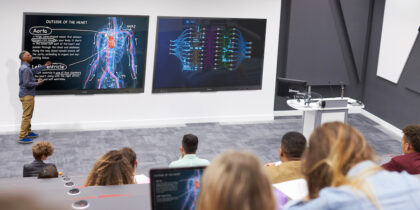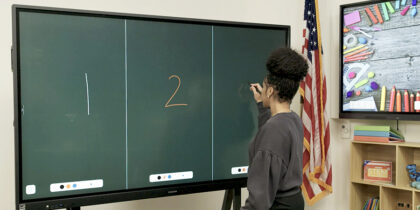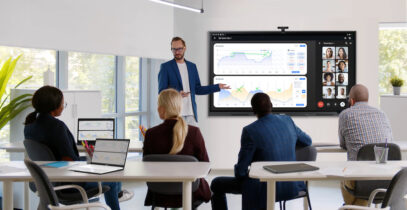
Large workplace displays once had a single job: help people present information to the room. Today, that task represents just the tip of the tech iceberg, as interactive displays now pack a wide range of tools and features that make them hubs of collaboration. They can bring remote colleagues into the discussion, support on-screen markup and move ideas forward without slowing the meeting down.
Samsung interactive displays are built to meet those needs across the workplace, with models designed for different room types and workflows. Choosing the right one depends less on screen size alone — although it is a factor — and more on what tasks need accomplishing. Here’s what you need to know.
Start with the workspace
Before comparing models, organizations should first consider what each room needs to support collaboration. A huddle space used for quick check-ins might be fine with a simple, small, streamlined setup, while a room used for client presentations and hybrid meetings may require a large-size display with an array of digital tools built into the hardware and software.
Start with core questions:
- What is the size of the room and audience?
- Will meetings include hybrid and remote employees?
- What tasks will the display need to accomplish?
- What apps and software do teams need access to?
- Is the primary purpose presentation or collaboration?
- What AI tools would enhance success?
Once those answers are clear, the display decision becomes part of a broader workplace plan. Now you are ready to select the right Samsung interactive display for your business.
For advanced, AI-assisted rooms: WAF and WAFX-P
For rooms that need more than a passive display, Samsung Interactive Display WAF provides teams with an Android-based experience to present content and add notes directly on the board. It can fit everyday collaboration for those who want a familiar workspace. WAF comes with EDLA certification, too, granting access to educational apps like Google Classroom that can be used in training sessions.
Interactive Display WAFX-P Android OS levels up the capabilities to handle heavier workloads with ease. A dedicated neural processing unit can perform 4.8 trillion operations per second alongside the octa-core central processing unit. Videoconferencing tools — a 48MP camera with auto framing, a microphone with a 32-foot range and dual 20W speakers with a woofer — are built in.
Both displays employ AI with the AI Write and Search feature, which enables users to circle handwritten notes on the screen, tap the search icon and watch the display populate with related web resources, images and more.
For simple, laptop-forward rooms: WEFX
Some workspaces do not need a full built-in operating system or advanced room configuration. The goal is to make it easy for different teams to walk in, connect a laptop and get to work. Interactive Display WEFX OS-Free is built around that streamlined experience.
As an OS-free interactive display, WEFX reduces the number of steps before a session begins. Employees can connect via HDMI or USB-C cables and start working on their laptops without adjusting multiple room settings. Home UI keeps common controls easy to reach, and Annotation On lets users write directly on the display as the conversation develops.
WEFX can also support more active group sessions. With up to 40 simultaneous touchpoints, multiple users can write or draw on the display at the same time, making it easier for several people to contribute ideas directly and work in groups rather than pass one device around.
For whiteboarding and visual work: WMFX
Samsung Interactive Display WMFX is designed for spaces where teams need to sketch and refine ideas directly on the board. It gives teams a whiteboarding experience that feels natural, while adding digital tools to edit and organize work as ideas develop.
The design offers smooth, accurate pen performance that makes writing feel like natural ink, while the Whiteboard app makes notes and sketches editable as discussions evolve. Flip Home keeps frequently used tools accessible from the display, so teams can move between writing and reviewing without interrupting the session. The rotatable design allows users to work vertically or horizontally depending on what best fits their vision.
WMFX can also connect visual work to the tools and systems teams use every day. The Workspace feature gives users access to remote PCs, network drives, and cloud-based business applications on the display, while Samsung Knox Security helps keep those files secure.
A customized and comprehensive ecosystem
The Samsung interactive display lineup gives organizations room to customize without turning every space into a one-off technology project. Each room can be equipped with a display that fits how people work there, yet connected to a larger digital ecosystem.
With Samsung VXT, a cloud-based content management system, IT teams gain centralized control over all displays, allowing configuration and troubleshooting of the entire ecosystem from remote locations. SmartThings Pro extends that control to connected workplace systems, such as lighting and building systems.
Discover more features of Samsung interactive displays to find the best model for your needs. Also, learn key strategies for designing a modern office that encourages collaboration.