For small and medium-sized business owners (SMBs), the clock is always ticking. Every second of the day counts if you want to keep the business running smoothly, meet established goals and drive growth.
That’s not an easy thing to accomplish with a small staff and limited resources in a single day. In fact, a 2026 survey of 1,000 SMB owners found that 53% lose sleep over their business at least a few times a week, and nearly 30% of new owners suffer it nearly nightly.
Fortunately, technology is ever more able to close the gaps and shoulder the burden, especially with the integration of AI-driven tools. Samsung Galaxy Book6 Enterprise Edition is a case in point. Together, the hardware and software support productivity from power-on to power-off, helping SMBs accomplish more with less effort. Here’s how:
8 a.m. – Start the day
Every business day begins with establishing where you are, where you were and where you want to be. That starts with diving into your inbox, reviewing dashboards and confirming items on the to-do list. Powered by Intel® Core™ Ultra processors with an integrated AI engine, Galaxy Book6 Enterprise Edition handles AI-assisted workflows locally for faster performance and improved responsiveness.
Galaxy AI features reduce routine tasks, letting users:
Start emails or open URLs with a click
Find files using natural-language search
Locate documents without remembering file names
10 a.m. – Meet with the team
Having regular touchpoints with key staff remains the best way to communicate daily goals and assign tasks. That’s even more important if you operate on a hybrid model and have employees working in different locations. Galaxy Book6 Enterprise Edition enables these meetings with a full high-definition, infrared camera for visuals and dual array microphones and stereo speakers for clear audio.
When it’s time to collaborate, Quick Share lets teams instantly share files across Galaxy devices, reducing email attachments and keeping hybrid employees aligned.
12 p.m. – Network on a business lunch
Few small businesses grow completely independently. Instead, they form joint ventures with similar organizations or partner with firms that have reached their target markets.
Whether you’re presenting to a client, investor or partner, Galaxy Book6 Enterprise Edition’s slim and lightweight body supports easy portability, and the 14- or 16-inch IPS WUXGA display delivers sharp visuals, wide viewing angles and anti-glare protection for a professional presentation experience.
2 p.m. – Crunch time
When it’s time to turn off notifications and get down to serious work, Galaxy Book6 Enterprise Edition includes AI-powered features designed to help users work more efficiently.
- For presentations, tap AI Select to capture any image or object, then use AI Cut Out to remove the background or surrounding elements, creating clean, ready-to-use visuals for your slides.
- Use Intelligent Search to enhance research and capture inspiration. Simply circle any text or image, and watch Galaxy AI call up a range of related sources.
Summarize notes, transcribe meetings, translate content and organize meetings with Note Assist.
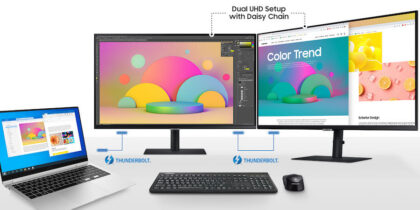
Extend your workspace with Second Screen and Galaxy Connected Experience to link a Galaxy mobile device or tablet to your Galaxy Book6 Enterprise Edition.
4 p.m. – Review security
As businesses grow, so does the need to protect sensitive customer, employee and financial data, especially across hybrid work environments.
Equipping your employees with Galaxy Book6 Enterprise Edition addresses the issue. Secured-core PC certification from Microsoft adds another layer of hardware-based protection. More importantly, it deploys with Samsung Knox, which safeguards data in rest and motion from the chip up. Layers of protection at both the hardware and software levels reduce the risk of bad actors penetrating defenses.
Through the Knox Platform for Enterprise, you gain hands-on management of all employee devices, enabling you to perform consistent reviews of security settings, software status and device usage from your Galaxy Book6 Enterprise Edition — then make changes that strengthen protections.
Versatility meets power
For SMB owners, no two days are exactly alike. That’s why it’s important to employ a powerful, versatile device like Galaxy Book6 Enterprise Edition that can accomplish a lot in a slim, lightweight frame. This digital personal assistant combines AI-powered productivity, enterprise-grade security and mobility in a single device built for growing businesses. Whether employees are working in the office, remotely or on the go, it helps SMBs stay productive while simplifying IT management and protecting business data.
Discover more features of GalaxyBook6 Enterprise Edition that can support your SMB. Explore exclusive business pricing, discounts and financing options through Samsung Business Direct.