Satisfied customers come back for more. Businesses can generate and enhance that satisfaction with seamless service at every point, including curbside pickup. In fact, it remains a benchmark, according to the American Customer Satisfaction Index Retail and Consumer Shipping Study 2026, especially when bolstered by technology investments that streamline and refine the pickup process.
Mobile devices and tablets offer many tools to improve the curbside pickup experience, enhance operational efficiency, reduce wait times, increase order accuracy, create upsell opportunities, and strengthen customer loyalty. They also provide staff with freedom of movement, enabling them to meet the customer where they are. Here are six key ways.
1. A shared platform
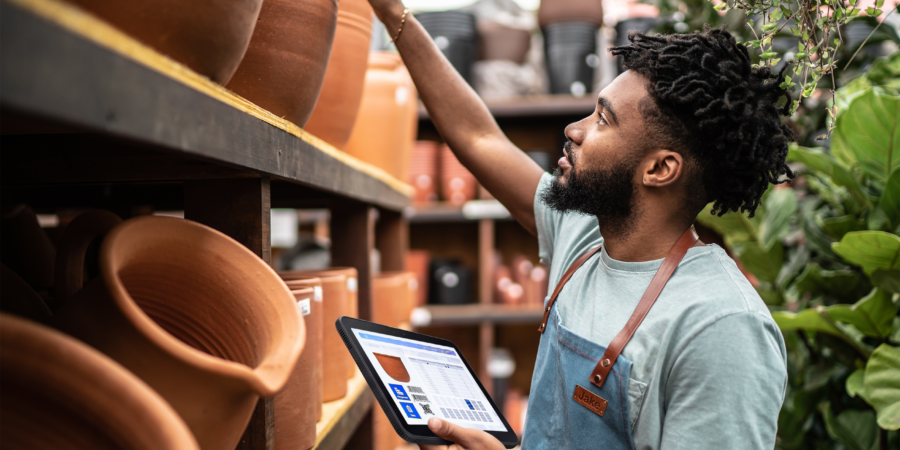
When employees are equipped with mobile devices like Samsung Galaxy Z Fold8 Series and Samsung Galaxy S26 Series, or tablets like Samsung Galaxy Tab S11 and Samsung Galaxy Tab A11+, they gain a hub for secure, continuous connection with arriving customers. Through a shared application, platform or portal, they can communicate with customers, track items for pickup, update status, send push notifications, answer queries and more. Not only does this save a lot of running back and forth for everyone involved, but it also connects the dots in the buy-online, pick-up-in-store (BOPIS) process to ensure smooth service.
2. Arrival and check-in
A key to a better BOPIS experience is minimizing pickup time. Shorter wait times can increase customer confidence in the service and encourage repeat use. Mobile devices and tablets enable employees to use geofencing, which automatically notifies them when a customer arrives in the parking lot. Arriving customers might check in by scanning a QR code, which sends a notification to the device-equipped team. In this way, employees are better able to have the item ready to go when the customer arrives. ID verification tools on devices also speed check-in. A quick scan of a driver’s license, passport or other document checks the ID against records in real time, reduces errors associated with manual entry, enforces age restrictions and secures all data with software and encryption.
3. Order accuracy and inventory sync
Customers expect their pickup order to be accurate and ready when they arrive. Mobile devices and tablets reduce this likelihood, especially when equipped with a barcode scanner. With this, staff can scan items and make sure they exactly match what the customer ordered. That translates to less time wasted on correcting errors while the customer waits, as well as returns. When the barcodes are connected to inventory software, they also help keep stock numbers accurate, ensuring customers don’t accidentally order an item the store no longer has.
4. Mobile POS and upsells
While the customer has already paid online, additional purchase opportunities can arise upon arrival. Targeted promotions, complementary products and personalized recommendations can encourage customers to make additional purchases based on their order or purchase history. A mobile point of sale (mPOS) through a mobile device or tablet makes it easier to complete those transactions. Payment can be brought directly to the customer, including at their vehicle, reducing the need to wait in line and making it easier to complete an additional purchase.
5. Data collection
Customer data is essential to personalization and loyalty. By incorporating mobile devices and tablets into the BOPIS experience, businesses can collect and connect data such as shopping preferences, usage habits, demographic info, email addresses, phone numbers, social media accounts, home and business location and more. Linking loyalty programs, surveys and service evaluations creates additional opportunities to collect zero-party data, all of which feed into marketing strategy and improve personalization.
6. Workforce planning and flexibility
When employee mobile devices and tablets are linked to property management software, they provide managers with a broader view of the BOPIS process. This can reveal patterns in curbside demand across the day, week, month and year, helping managers make more informed staffing decisions. Managers can schedule employees during periods of high traffic and reassign them to different positions and departments as needs change. If a sudden change occurs or priority needs attention, the devices allow management to redirect employees immediately, provide precise instructions and receive confirmation of completion.
Better BOPIS for omnichannel success
Business success today often depends on an omnichannel approach, especially when they link the digital and physical worlds of shopping. BOPIS is a prime example, with a shopping journey that blends the two. The smoother and more efficient that experience becomes, the more businesses reap rewards on the front and back end, from inventory tracking and labor management to order accuracy and upsell opportunities. Mobile devices and tablets help connect these workflows and support a more efficient BOPIS experience.
Explore more Samsung business tools that improve BOPIS service. See the latest Samsung mobile devices and their business features at this replay of Samsung Unpacked – July 2026