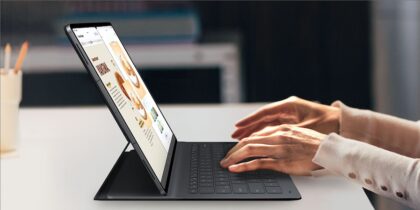
Now that hybrid and remote work are fully woven into fabric of business today, mobile devices are taking a greater role in day-to-day operations. In fact, their growing capabilities and tools have essentially turned them into mobile workstations invaluable for business makers on the go, enabling them to do their jobs more efficiently and take advantage of opportunities that arise.
However, this increasing mobility also creates risk, as hybrid and remote employees access and store confidential data outside the office. As the fleet grows, so too does the danger of compromising the devices, whether through vulnerable apps and software, inconsistent security updates, unsecured Wi-Fi or the physical loss of the device.
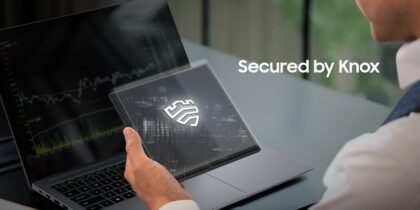
As your mobile fleet grows, how can you be sure all that data is secured? Employees can be educated about the risks of a data breach, but don’t necessarily rely on compliance to keep sensitive company information safe. The best approach is by securing and controlling endpoint devices with a mobile device management (MDM) or enterprise mobility management (EMM) solution like Samsung Knox. The platform unifies all devices under central management, enforces security policies and addresses incidents quickly. Here’s how.
Managing your mobile fleet
The more people involved in an activity, the more management they need to keep everyone on the same track and in the right direction. The same goes for mobile devices in business. As your fleet grows, oversight becomes crucial, both to keep operations moving forward smoothly and lock down confidential information.
Managing your mobile fleet effectively entails numerous levels of control, from setup and onboarding of devices to locking down all data and information, as well as installing software updates, verifying devices, securing Wi-Fi, tracking usage, enforcing device settings and approving applications. It also means troubleshooting issues as they arise to nip any immediately in the bud. Samsung Knox goes even further, offering data analysis to highlight opportunities for improvement.
Simplifying mobile management for small businesses
Simplicity is a key component of EMM solutions like Samsung’s Knox Manage. Its cloud-based command console enables IT Teams to efficiently manage a fleet of mobile devices from afar, which is essential for growing fleets.
Through this console, IT teams can manage and monitor all those enrolled, saving the significant time and resources otherwise spent tracking down all devices separately. The status of all devices can be monitored and issues flagged within the console. And if a device is lost or stolen, it can be remotely locked or wiped of data to ensure confidential information does not fall into the wrong hands.
Knox Manage extends the simplicity to a wide variety of management controls and protections, from disallowing corporate app access over unsecure Wi-Fi connections to enforcing biometric or multifactor authentication.
The platform itself also boosts simplification by generating alerts for various issues, such as failed upgrades of containerized applications. This makes it much easier for IT teams to detect and address potential problems before they cause any damage.
Managing a mixed device fleet
Endpoint management can get considerably more complex when dealing with multiple operating systems, OS versions and device capabilities, because management options inherently vary slightly. Knox Manage is a cross- platform EMM — supporting all Android devices, iOS and Windows — but it provides the most granular management controls for Samsung devices.
As a result, small businesses in particular may find it beneficial to provide devices for employees. Another good option is to establish a bring-your-own-device (BYOD) policy that enables IT to manage employee-owned smartphones. MDM and EMM solutions provide the means to do so, but not all are created equal. Basic MDM enrolls devices and provides core policy controls over usage, but it starts to get complicated as small business, and BYOD mobile fleets, grow into large ones.
One way Samsung Knox helps balance the flexibility and familiarity of personal devices with the security needs of business is through Android Work Profile. The feature essentially splits the devices into personal and work areas and throws up an impenetrable wall between them. This way, a company can ensure all business tasks are isolated from personal ones and completed according to security policies and best practices.
Make EMM easy for small businesses with Knox Manage
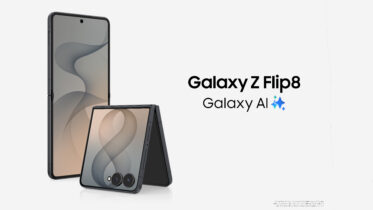
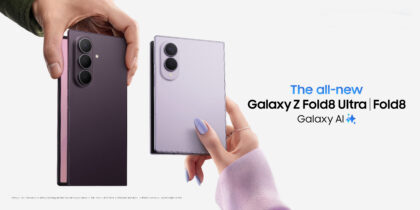
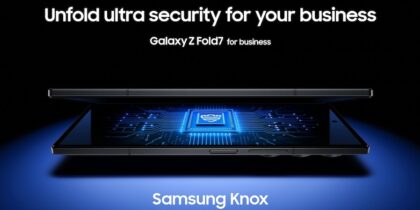
Another key benefit of Knox is fast, trouble-free provisioning of new Samsung mobile devices for employees, including the latest Samsung models: Galaxy Z Fold7, Galaxy Z Flip7 and Galaxy 25 Series. Knox Mobile Enrollment enables these and all new devices to be pre-enrolled into Knox Manage.
This is especially useful for small businesses. Rather than enroll each device individually, the IT manager can automate the provisioning of hundreds of devices with just a few clicks. When the user then receives their device, all they have to do is turn it on without extensive how-to training or connectivity questions. They’ll immediately have easy access to all their business applications without the need to install the EMM client or other apps themselves.
Closing the gaps of growth
Growing a fleet of mobile devices inevitably leads to security gaps through size and complexity. Spot-filling these cracks quickly becomes impossible, and comprehensive management becomes essential. Whether your organization is large or small, an EMM like Knox Manage helps achieve just that, ensuring security across the board through centralized management and a suite of tools. With this in place, small business can grow freely, confidently and securely.
Learn more about mobile security in the foldable era to better secure your fleet. Also discover the full capabilities and benefits of Knox Suite to match the best plan to your business.