An ambitious entrepreneur can start a successful business with little more than a solid idea, a strategic plan and a phone to stay on top of everything as they execute it. Before long, though, life within a small and medium-sized business (SMB) starts to look very different.
First, additional team members are hired, all of whom need their own phones to stay connected and collaborate. Then, tablets may be used to take advantage of a larger display and perform client demos.
Investing in mobile devices is a natural outcome of business growth; it’s a sign that an SMB is on track to deliver great employee and customer experiences based on digital-first processes. As these devices become ever more integral to your business, though, keeping them secure and managing them effectively is a critical priority.
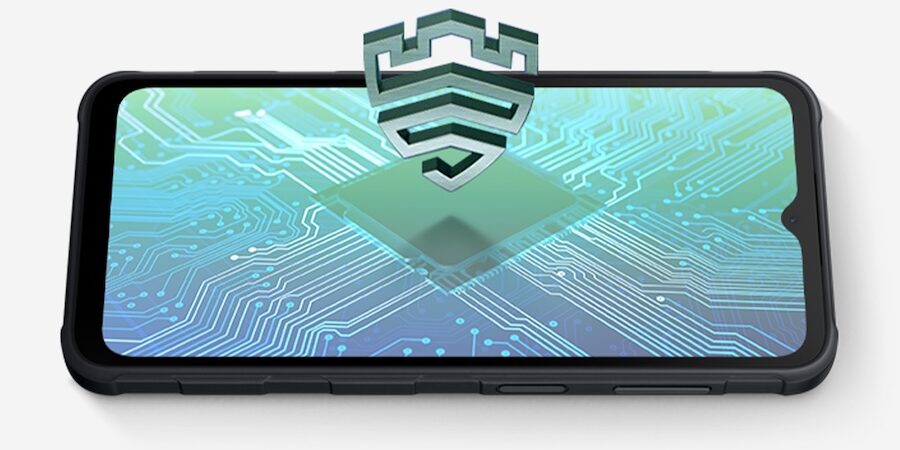
Samsung already provides built-in data protection for mobile devices with Knox security, but it also offers SMBs the tools they need to keep the devices updated and running smoothly, such as Knox Manage and Knox E-FOTA. With these security solutions, SMBs can better focus on harnessing the robust capabilities of mobile devices to fuel business growth.
Checklist: Signs an SMB should invest in secure mobile device management
The big question for SMBs is when to make the investment in secure mobile device management on their business journey. Here are the signs that it may be time.
Security threats begin to emerge
The greater the profile your business develops, the more it may appear on the radar of hackers and scammers. This increases along with the number of mobile devices, as they often carry sensitive and confidential information outside the office. Keeping data safe means your SMB needs to contend with any or all of the following:
- A suspicious-looking email arrives demanding payment of an attached invoice. This could be a phishing scheme, in which opening the attachment unleashes malware that lets cybercriminals steal data or bring your network to a halt.
- A team member logs onto a public Wi-Fi hotspot with the device while they’re on the road, opening the door to third-party attacks.
- A malicious app is downloaded to the device, where it activates spyware, steals data or locks the device until a ransom is paid.
- A device gets lost or stolen, potentially opening access to all its apps and content by whomever finds it.
Enforcing policies threatens to become a full-time job
Even if you develop policies to avoid or mitigate the most common cyber threats, enforcement can turn into a full- time job, especially if allowing employees to use personal devices and applications. Planning, organizing and running training sessions in cybersecurity only pushes the hours into overtime.
Samsung Knox helps mobile security to part-time or less by providing a centralized management platform, enabling IT staff to push out policies and rules to all connected devices. This includes ensuring all devices have the latest security updates, use only authorized apps and connect to Wi-Fi securely. These and many other features of Knox shoulder much of the burden of mobile device security, freeing time, space and energy to develop the business in other ways.
App demand overwhelms
Employees naturally want to use whatever apps help them stay productive and efficient on the job — as well as the ones they are most comfortable and familiar with — and many SMBs allow them to do that. However, it can make things complicated:
- Work stops when mobile apps crash or experience glitches because employees must return to the office for in- person assistance.
- Employees are running devices with different operating systems, causing compatibility issues with critical mobile apps.
- When operating systems are updated, there can be unexpected surprises because devices cannot be tested first and apps don’t perform as expected, or sometimes at all.
- Scheduling any kind of device update becomes a nightmare, as well as a huge interruption on business processes. However, putting off those updates mean employees’ apps could lack critical new features and fixes.
How Samsung Knox solutions can empower SMBs
Large enterprises may have dedicated IT departments that can handle security challenges, but SMBs have to achieve the same with less. This requires a special set of tools to manage and protect mobile devices with the same level of ease and agility.
Samsung Knox meets this need head-on with an approach based on hardware-backed security and simplified management that offers continuous protection.
Here are some examples of Knox SMB security solutions that allow them to grow without mobile device headaches getting in the way:
Knox Mobile Enrollment
When it’s time to set up small batches of mobile devices and get them in employee’s hands on the spot, Knox Mobile Enrollment (KME) provides the quick and easy, out-of-the-box experience everyone wants. The setup is simple: KME auto-populates user credentials on each device.
You can enroll work devices with KME across any network scenario or fleet size, too, either using local network resources or in a hybrid cloud-and-local environment. KME also makes it easy to quickly clone a standard profile into an advanced profile, and bulk profile assignments can be done without user passwords.
Knox Manage
SMBs may not have a large fleet, but even as you reach the 10-device mark, Knox Manage provides a way to harmonize all your policies across them. The latest version lets you selectively apply 5G network access to either an entire device or specific work apps in an allowlist.
When employees run into difficulties with their devices in the field, Knox Manage includes a remote access tool for hands-on troubleshooting. For example, the next time someone loses their device, Knox Manage’s Lost Mode can make the device ring for five minutes, at which point it will report its location. Knox can even lock the device and display a message on the screen.
Finally, it’s important to note that Knox Manage not only works well with Samsung devices but other platforms as well, which means you can use it to manage iOS devices and more. This cross-system support helps unify mobile device policymaking and enforcement.
Knox E-FOTA
Mobile devices require regular firmware updates to function as expected. Knox E-FOTA, or “firmware over the air,” allows small businesses to push these out to a group of employees rather than requiring them to physically bring their mobile devices in and hand them over for updates and modifications.
Using Knox E-FOTA also helps ensure the OS you choose can work with all your company’s apps and device models. You can even beta test updates on sample devices first to prevent devices from installing unwanted or automatic OS version upgrades.
E-FOTA’s flexible scheduling features, meanwhile, allow for updates to happen at a specific date and time, or based on other factors such as connectivity, battery level and charging status.
This means you can manage OS and app updates without integration issues, compatibility problems, or, most importantly, disrupting the work you need your team to do.
The Samsung Knox advantage for small businesses
Cloud-based solutions like Knox Manage, KME and Knox E-FOTA extend the value of Knox security and put SMBs in control of their devices and data, allowing their teams to work securely and productively. These tools are based on Samsung’s understanding of an SMB’s unique business needs. They also build upon Android’s proven multilayered security by adding best-in-class technologies to address the constantly changing threat landscape.
A key advantage of choosing Samsung as a partner is how easily you can get started on securing and managing your mobile devices without any mobile device management knowledge or expertise. Samsung’s QuickStart service for Knox Manage is a case in point. You can receive expert assistance with everything from the setup process to configuring devices today.
Discover more about how Samsung Knox protects data from the second a Galaxy device powers on.