When it comes to images on a monitor screen, there’s more than meets the eye — or that the eye can catch. What seems a solid and continuous image is actually an illusion, created by repeated redrawing of screen content at a rate faster than sight can register. How quickly a screen can “refresh” the screen per second impacts the quality of the image; the higher number, the cleaner the movements and sharper the objects.
However, that doesn’t mean a higher refresh rate is always better. As with many technologies, getting the most out of it means matching the right one to the given use case. That’s true with computer monitors, too, where high refresh rates suit certain types of tasks and content better than others. That’s why anyone considering investing in business monitors should first learn how refresh rates affect what happens on the screen, then match that to their specific needs.
Here’s what you need to know.
What is refresh rate?
Just like the old paper flip books of animators or celluloid reels of filmmakers, creating a “moving picture” means flashing a series of images quickly. Digital monitors operate the same way, continuously pushing images to the screen fast enough to make motion seem continuous. The number of times it does this per second is known as the “refresh rate,” and measured in hertz (Hz). A typical monitor rate is 60Hz, which equates to 60 refreshes per second. Below this, screens can appear to flicker to the human eye.
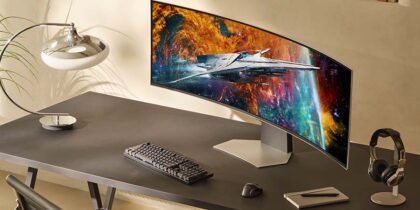
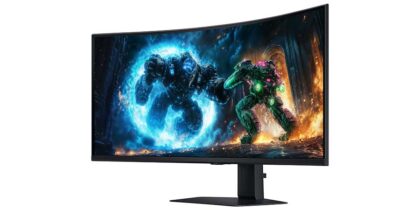
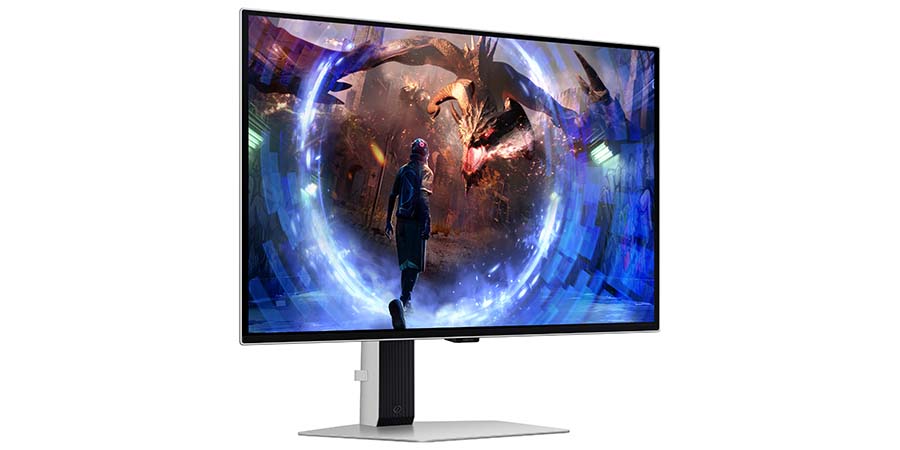
As monitor technology develops, refresh rates are rising, especially in the leading models and brands. At Samsung, the 32 Inch Odyssey G7 G70D comes in at 144Hz, 49 Inch Odyssey OLED G9 G95SC boasts 240Hz, while the 27 Inch Odyssey OLED G6 (G60SD) QHD comes in at the top, with 360Hz. With such high refresh rates, these monitors have the capability to make content look cleaner, crisper, sharper and smoother than ever before. Achieving that, however, takes more than just the monitor.
Technology in tandem for better performance
Reaping the benefits of a high refresh rate requires a few pieces of technology working together. The high-refresh monitor should also be matched by a graphics processing unit (GPU) and central processing unit (CPU) with equal power; otherwise, the effect is diminished, if not altogether cancelled.
A monitor with a high refresh rate makes no difference if the GPU and CPU cannot produce the frames per second (FPS) to fill it. In fact, a high Hz with a low FPS can make the images look worse, as the screen will start refreshing old frames, causing the unnatural smoothing
known as the “soap opera effect” and perhaps creating a gaps, stutters and other inconsistencies in the visuals. On the flip side, an FPS that exceeds Hz can cause “screen tearing,” as the monitor attempts to show multiple frames in a single refresh.
At the same time, the computer’s CPU also must be able to process all this action, or, again, it makes little difference how good the GPU and screen Hz is. The more complex the processes, the greater number of cores a CPU needs to manage it all efficiently. However, architecture also matters, and a newer CPU with six cores may still perform better than an older model with eight.
Matching Hz to task type
A first step in choosing a monitor and refresh rate is to identify the use case. In many situations, a high Hz may simply not be needed, reducing or cancelling out the return on investment in cutting edge monitors. Plus, at the highest rates of refresh, the fewer distinguishable differences are visible. Here’s a simple crib sheet to follow.
60Hz: This covers most everyday tasks at home and the office including surfing the web, reading documents and answering emails.
75Hz: With standard video, this rate ensures smoother performance and glitches that may occur at 60Hz, when the refresh rate and/or FPS naturally fluctuates below it. Everyday tasks also feel more responsive and fluid.
120Hz: This rate is becoming the norm with high-end TVs and monitors and works particularly well for media with a lot of movement and detail, such as sports and gaming. Playstation 5, for example, supports up to this rate. In the professional world, 120Hz suits photo and video editing by content creators, designers and animators. In the medical field, it can be ideal for video-assisted procedures, such as endoscopy, surgery and microscopy.
144Hz and up: This rate is the gold standard for gamers, significantly reducing motion blur, stutter and other issues. At the competitive level, this jumps up to 240Hz and beyond, as every millisecond counts in fighting, racing and sports games.
Making the right refresh choice
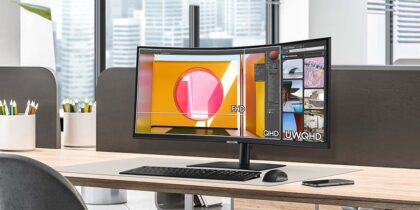
In the end, refresh rates represent just one piece of the monitor puzzle, and choosing the right one involves many other factors, such as the shape, dimensions, resolution and pixel pitch. The tasks performed on the screen also matter significantly. A worker watching multiple streams at once may prefer the wide, curved monitors of the Odyssey OLED G9 or G6, while those focused on color-heavy tasks may appreciate the contrast enhancing DisplayHDR 400 tech on the Odyssey G7.
There is also the variable processing power of the human brain that can affect the “feel” of the monitor performance. That’s particularly true for jobs that require hours of screen time. A higher refresh rate can reduce the strain and fatigue in the eye, even if the tasks don’t technically require the Hz.
Finding the right Hz can help hit that sweet spot, keeping operations and applications smooth and responsive so the user can fully focus on the task at hand.
View the full range of Samsung monitors to explore the features and find the right one for you. Also learn how to boost productivity by daisy chaining monitors together.