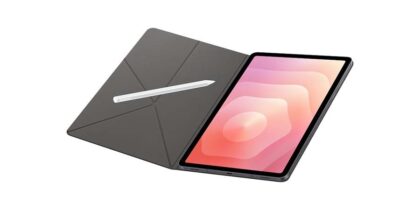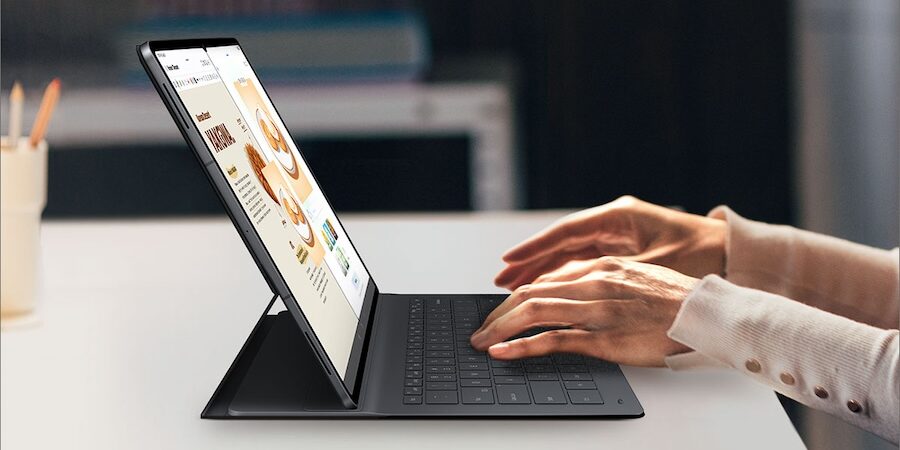
Tablets are among the most versatile mobile devices in today’s workplaces. More than personal productivity tools, they can be turned into kiosks, mobile point-of-sale terminals or digital means of signing documents. Now, AI is enhancing those capabilities by helping teams work smarter, faster and more intuitively across every task where tablets have become essential.
That’s particularly important in the rapid take-up of AI in the business world. In a McKinsey Global Survey, 78% of respondents said their business use AI for at least one business function, while a University of Pennsylvania study showed 82% of enterprise leaders use generative AI each week.
The next evolution is on-device AI, which combines the hardware necessary to handle AI compute workloads with features tailored to mobile users. Here, too, Samsung is a leader, with Galaxy AI built into the Galaxy Tab S11 Series. Samsung Galaxy AI for business use lets companies keep ideas flowing, do business across borders and make ordinary projects epic. Here’s how:
Productivity
Galaxy Tab S11 Series is built for those who want to make their workday smarter with the power of AI. It starts with the Snapdragon 8 Gen 3 for Galaxy processor, delivering enhanced AI compute power for business-class multitasking and productivity.
Let’s say you’re using your Galaxy Tab S11 to read through a client’s request for proposal and come across a term you don’t recognize. Instead of popping out of the document and into a search engine, simply circle the term with your finger. Circle to Search with Google immediately brings up the definition you need, letting you continue without missing a beat. It does the same for images, too.
For more in-depth online research — such as poring over a government website to understand regulatory compliance obligations — Browsing Assist provides similar time savings and streamlined workflows. It’s a Galaxy AI feature that summarizes the most important content on a website, so you can see what you need to know at a glance. You can also use it when you need to grasp the fundamentals of an analyst report or the value proposition of a new supplier or partner.
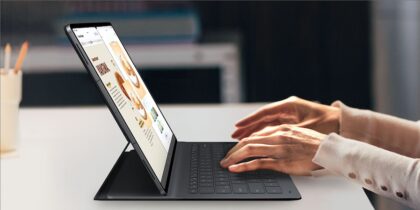
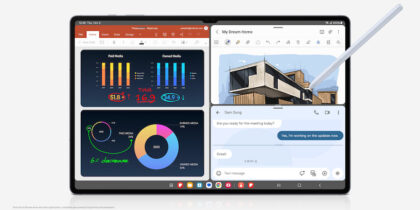
Galaxy AI is just as helpful when you’re trying to capture information and develop ideas. Galaxy Tab devices have always been great for taking notes. With Note Assist, you can now transform notes jotted down by keyboard or S Pen during a client meeting into easy-to-digest bullet points and summaries, even in another language. Think of Note Assist as a highly efficient admin that lets you focus on key objectives, like closing another deal.
Of course, many of us now spend as much time on video calls as we do in in-person meetings, and it’s often necessary to record them for those who couldn’t make it. Transcript Assist on Galaxy Tab S11 and S11 Ultra can not only capture what was said but also provide key takeaways that help everyone get moving more quickly on their action items — further demonstrating the power of Samsung Galaxy tablet productivity.
Communication
Premium tablets not only let you complete individual tasks but also stay connected with team members and customers. With Galaxy AI built into the Tab S11 Series, communication becomes more natural, intelligent and adaptive across languages and channels. Even when you can see and hear everyone on a call perfectly clearly, language barriers can still slow collaboration. Features like Live Translate by Galaxy AI and Interpreter are designed to break those barriers.
When meeting international or local clients who speak another language, Live Translate provides real-time, two-way translation for voice and video calls directly within the Samsung mobile device or third-party conferencing apps. Interpreter offers similar convenience during in-person meetings, displaying side-by-side translations so both parties can keep the conversation moving smoothly.
What's the best phone for your business?
Discover the smartphone most tailored to your business needs. Download Now
Galaxy Tab devices are built for efficient day-to-day communication, including emails, chat apps and collaboration tools. Until Galaxy AI, much of that relied on manual editing and tone awareness. Chat Assist now helps refine messages automatically, correcting grammar and adjusting tone to suit the recipient, whether professional for clients, or conversational for colleagues. It’s like having an intelligent proofreader that understands audience and context.
Transcript Assist complements Chat Assist by recording and transcribing meetings in real time, then generating concise summaries and action items. Whether in a customer briefing or on a cross-department call, teams can quickly align on next steps without missing details.
Creativity
The heart of innovation is creativity, and the Galaxy Tab S11 Series comes with features that turn every idea into a launchpad for execution. A great example is the dual camera system with AI-powered image processing to deliver sharper detail and more natural color accuracy. With it, you can quickly snap inspiration as it comes, including for social media posts. The ultra-wide front camera supports auto-framing and 4K recording for professional-level video, too.
Many professionals aren’t trained content creators, which can make producing high-quality visuals intimidating. That’s where Galaxy AI features like Generative Edit and Instant Slow-mo help bridge the gap. Generative Edit lets you remove unwanted objects, fine-tune lighting or enhance composition, while Instant Slow-mo turns quick clips into shareable replays perfect for demos or social posts. These intuitive features enable any employee to produce polished content without the need for external editing tools or studio time.
The large, Dynamic AMOLED 2X displays make creative work more immersive than ever, giving designers and marketers a true-to-life color experience when reviewing campaigns, videos or product visuals. And when it’s time to present that creative work, Samsung DeX transforms the tablet into a presentation-ready device. Connect to a display and showcase designs, campaign layouts or architectural plans directly from the tablet.
From product ideation to campaign delivery, the Tab S11 Series helps teams capture, create and communicate faster, transforming creative potential into tangible output across every industry.
Security
For all its benefits, people are understandably concerned about what AI means in terms of data security. Businesses want AI that’s powerful but trustworthy. From a security standpoint, the Galaxy Tab S11 Series builds on Samsung’s defense-grade Knox Platform for Enterprise, offering multi-layered protection from the chip up. Each device is built on hardware-based security architecture that isolates sensitive processes and encrypts data both at rest and in transit, ensuring that personal and business information remains safe from unauthorized access.
Any concerns about the security of AI-powered features are also put to rest. All Galaxy AI features on the Tab S11 Series — including Circle to Search, Note Assist, Live Translate and Generative Edit — are governed by Samsung’s transparent AI design principles and comply with Google’s Secure AI Framework. That framework enforces strict controls around data handling, requiring that AI features process only what’s necessary and that sensitive information never leaves the device without authorization.
Furthermore, AI data processing is split between on-device and cloud operations, depending on the task and user settings. Sensitive information can remain fully on the device for maximum privacy, while cloud-enabled AI features use Samsung’s and Google’s secure servers for advanced computing power. This gives enterprises the flexibility to decide how and where their data is processed, balancing capability with control.
With the Galaxy Tab S11 Enterprise Edition, security and manageability are further elevated. The device comes with Samsung Knox Suite preloaded, giving IT administrators centralized control over configuration, policy enforcement and security posture across their entire tablet fleet. Through Knox Manage, teams can deploy applications and enforce compliance remotely. Knox E-FOTA (Enterprise Firmware-Over-the-Air) allows tech teams to test and roll out firmware updates on their schedule, minimizing downtime and avoiding compatibility issues with enterprise apps.
Together, Galaxy AI and Samsung Knox establish a unified foundation for secure productivity. AI enhances the way teams work, while Knox safeguards how they operate, from creative workflows to enterprise-level deployments. Regular security maintenance releases keep every Tab S11 device current and protected against emerging threats, ensuring that businesses stay ahead in both capability and compliance.
Advancing work with AI
AI represents the next evolution of the Samsung mission — helping people work smarter, better and more productively. The Galaxy Tab S11 and S11 Ultra put this into action, with a bevy of Galaxy AI tablet features that support business anywhere and anytime it needs to take place. Across the Galaxy ecosystem, Samsung is delivering AI innovation that respects privacy, empowers productivity and keeps business data secure by design.
Discover more ways to get the most out of your Samsung tablet, and speak with a Samsung Business expert today.