Monitors are undergoing a resolution revolution, with more options than ever before. However, for consumers and businesses, the plethora of resolutions, and definitions they factor into, often create a confusing alphabet soup, including HD, UHD, FHD, 4K and 8K.
QHD offers yet another example. But it’s more than just a new acronym to learn. It offers real advantages to those who understand what it can do and where it might fit in a modern business workflow.
Here’s what you need to know about QHD, how it differs with other screen definitions and when it makes the most sense to upgrade.
What is QHD?
Quad high definition (QHD) came into prominence in the mid 2010s and marked an attempt to find a happy medium between full high definition (FHD) and ultra-high definition (UHD), otherwise known as 4K. QHD offers a meaningful step up in clarity over FHD, while avoiding the processing demands, bandwidth requirements and costs that come with 4K.
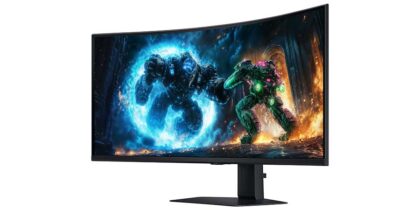
Another way to think of QHD is 2K, which it is often called. Just note that 2K on monitors, such as Samsung 49 Inch Odyssey G9 G95C, technically exceeds the true 2K resolution as defined by Digital Cinema Initiatives, making it more like 2.5K.
On the screen definition ladder, QHD sits between FHD and UHD in the center:
- HD: 1280 x 720 = 921,600 total pixels
- FHD: 1920 x 1080 = 2,073,600 total pixels
- QHD: 2560 x 1440 = 3,686,400 total pixels
- UHD/4K: 3840 x 2160 = 8,294,400 total pixels
- 5K: 5120 x 2880 = 14,745,600 total pixels
- 8K: 7680 x 4320 = 33,177,600 total pixels
What is the difference between resolution and definition?
Although directly connected, resolution and definition are not the same thing. Resolution is a technical measure of the number of pixels displayed on a screen, whereas definition relates to clarity of the image. Resolution is a big part of definition, but so are pixel pitch, screen size and image compression. Nevertheless, many people use the terms interchangeably, as definition and resolution standards are linked.
To better understand the relationship of resolution and definition, compare Samsung 27 Inch Odyssey G3 G30D monitor with Samsung 32 Inch Essential Monitor S3 S39GD. Both have 1920 x 1080 resolution, but the smaller monitor offers clearer definition because it counts a higher pixel density in a smaller screen space.
That said, a few inches of screen size, give or take, will not make a noticeable difference in definition, but it will definitely become apparent in larger ones, for example, a 55-inch screen with 1920 x 1080 resolution.
When it makes sense to upgrade to QHD
The best monitor for your workflow isn’t always the biggest, most expensive or highest in resolution. Indeed, it’s easy to overkill, as HD and FHD can handle most everyday tasks with no trouble. For basic email and media playback, 4K makes little sense — especially when factoring in the financial cost. QHD helps fill the gap for those who want to raise their resolution game but not reach for the stars.
Where QHD monitors make the most sense are in jobs and tasks that require some degree of work with images and videos. That encompasses everything from gaming and content creation to medical scans and graphic design. The same goes for work that requires multiple windows open at the same time — spreadsheets, dashboards, data streams and more. QHD helps retain the clarity of them all, improving workflow.
QHD monitors align with smaller budgets, too. A case in point is the Samsung 27 Inch Odyssey G5 G55C. It levels up all visuals with QHD and does so at a fraction of the cost of Samsung 27 Inch Odyssey G7 G70D with 4K UHD resolution. This allows companies to purchase a larger number of QHD monitors than UHD ones, while still giving staff the display depth and precision they need to complete visually intensive tasks.
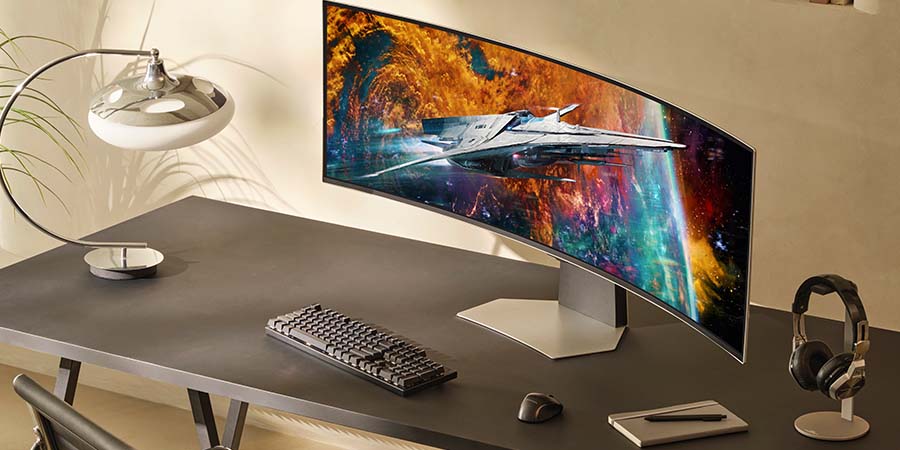
When screen sizes reach 55 inches or more, then it’s a good idea to consider upgrading to 4K to retain a sharp definition across the large canvas. Samsung also offers dual quad high definition (DQHD) on larger monitors like Samsung 49 Inch Odyssey OLED G9 G95SC and Samsung 49 Inch Odyssey OLED G9 G91SD. DQHD seamlessly merges two QHD displays together without a bezel, ensuring excellent definition across the screen.
Choosing the right resolution for your business
Choosing the right monitor starts with understanding what your team actually needs. For most visually intensive workflows like design, data analysis, content creation and medical imaging, QHD hits the practical sweet spot: sharper than FHD, more affordable than 4K, and capable enough to handle multi-window work without compromise. When screen size pushes past 55 inches, 4K becomes the smarter call. But for the majority of business use cases, QHD delivers the clarity and precision that move work forward, without the overhead.
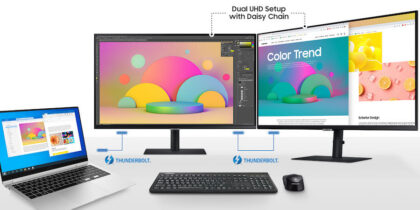
Need to upgrade your monitor experience? Explore the Samsung lineup. Also learn more about increasing workflow productivity through daisy-chaining monitors